2 Sep 2026 · Updated 20 Sep 2026 · TubeCortex
How to Build a Brain From a YouTube Channel in 4 Steps
How to build a YouTube brain in four steps: paste a channel link, pick the videos, let TubeCortex read them, then ask for cited answers.
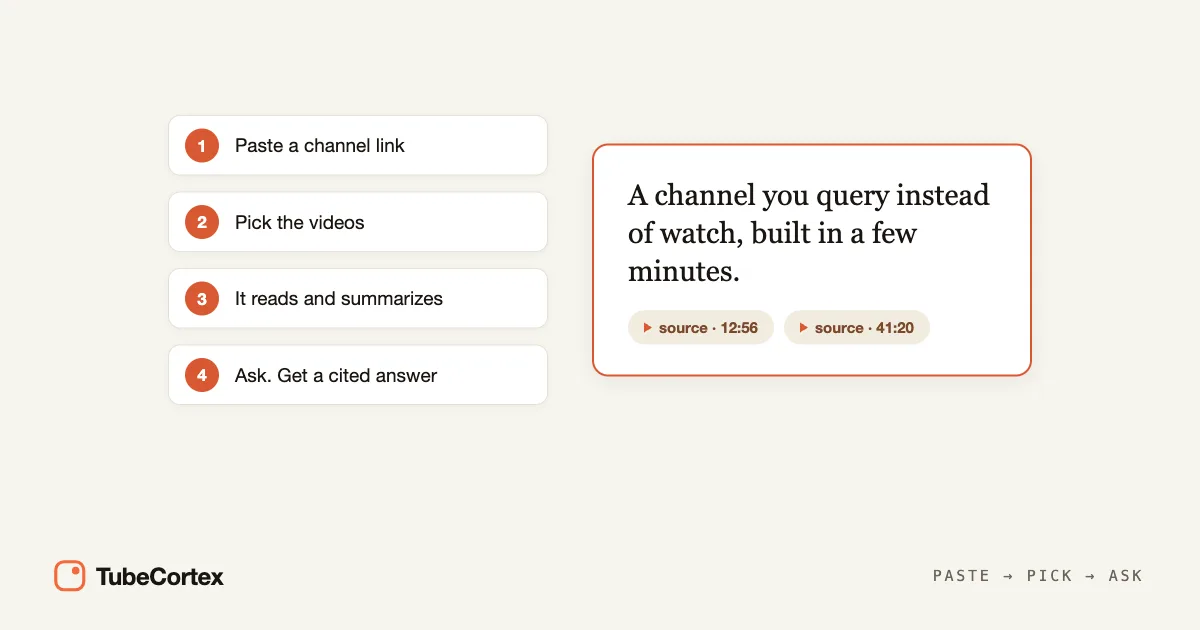
To build a YouTube brain, you paste a channel link into TubeCortex, pick the videos it should read, then ask questions and get answers pulled straight from those videos. A YouTube brain is a private, searchable copy of one channel, so instead of watching hours of uploads you ask once and get a cited answer in seconds. Think of it as a search engine that only searches the videos you gave it, and names the video and minute. New to the idea? Here's what a YouTube brain is. Below is how to build a YouTube brain in four steps.
Setup at a glance
| Step | What you do | Time |
|---|---|---|
| 1 | Paste a YouTube channel link | About a minute |
| 2 | Pick the videos; TubeCortex reads them and makes them searchable | A few minutes, mostly hands-off |
| 3 | Ask a question, get a cited answer | Seconds |
| 4 | (Optional) Keep it current with Auto-update, or get summaries and Telegram pings with Autopilot | About a minute |
Start free: Get started for free.
Step 1: Find the channel
Open Brains in TubeCortex, press New brain, and either paste the channel's link or just type its name into the search box; TubeCortex searches YouTube for you, no subscription to the channel needed. That's the whole input: no file uploads and no login to the channel you're studying. One brain holds one channel, so to ask across several, build a brain for each and use Compare to query them together.
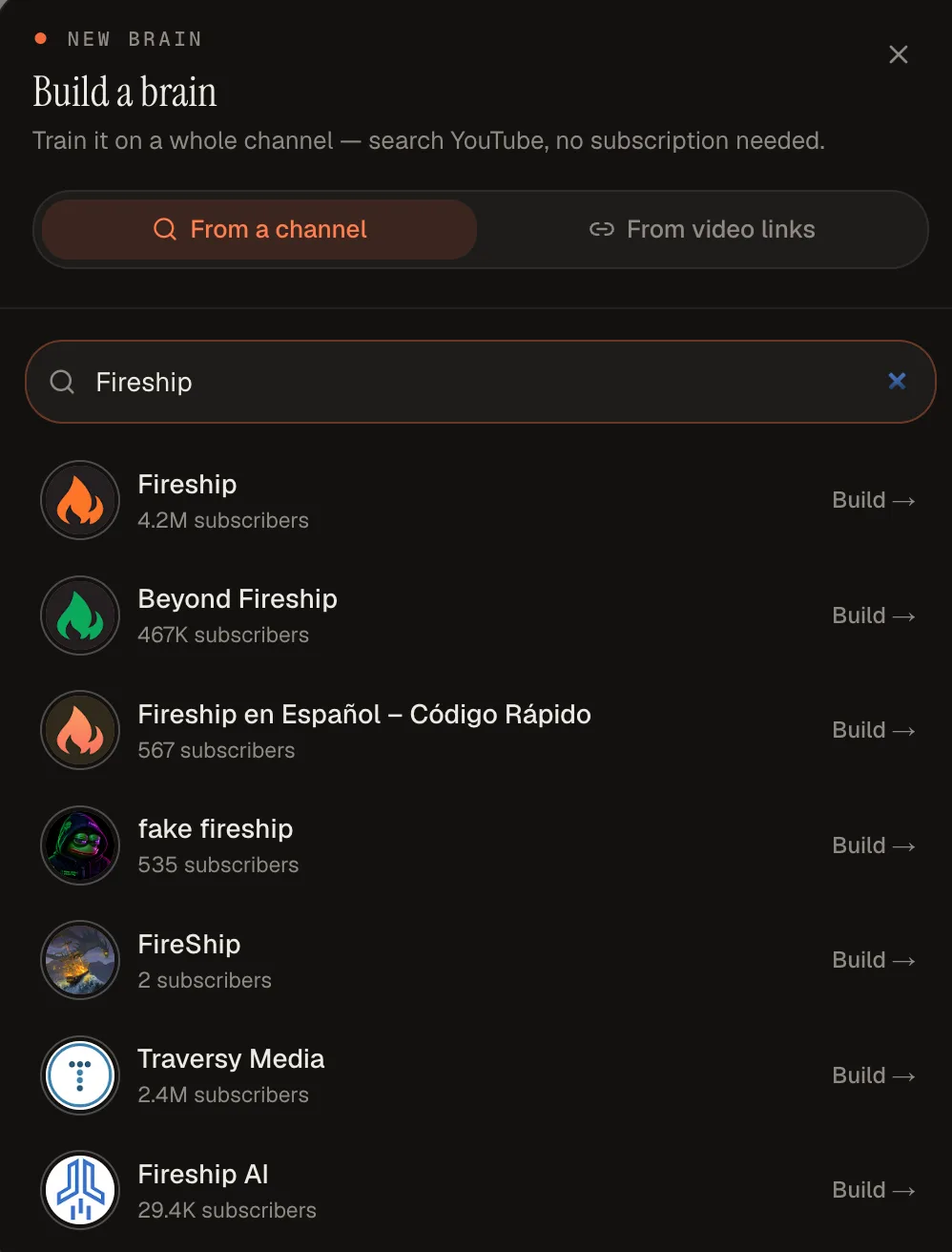 Type a channel's name, pick the right match from the list, and press Build. A link works too.
Starting from a single video instead? You can summarize one video first and add the channel later. And if your videos come from several different channels, a custom brain built from pasted video links fits better than a channel brain.
Step 2: Pick the videos, then let it read them
TubeCortex lists the channel's videos, newest first, so you can tick the ones the brain should hold, a handful or the whole catalog, then press Add to brain. (You can add or remove videos later.) There's no price preview in that window: each video you add uses a small number of credits, videos you've already summarized are free to add, and you can watch the credits add up while the brain builds.
Then TubeCortex reads the captions of each video you picked and makes them searchable. A brain doesn't write a summary of every video; summaries are a separate feature you ask for, or that Autopilot writes for new uploads. The reading part is hands-off, so you can close the tab and come back while it keeps building. It also organizes what's said so you can search by meaning as well as exact words, like a book index that maps ideas instead of spellings. A small batch of videos with captions is usually ready within a few minutes.
Step 3: Ask a question and get a cited answer
Now ask the brain a question in plain language, the way you'd ask the creator. The answer comes back drawn from what's said in the videos, with a link to the exact moment it came from.
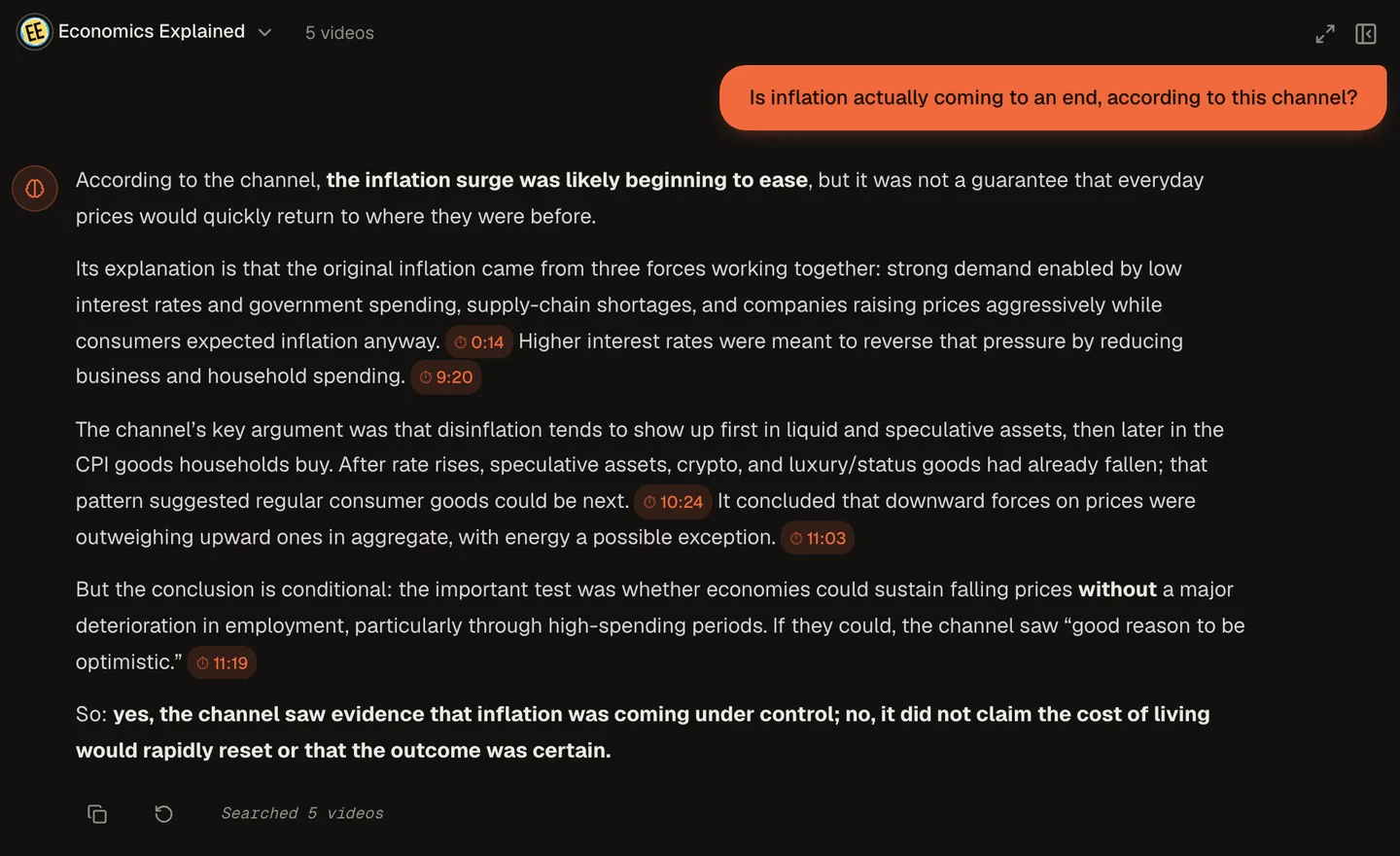 Each point taken from the videos carries a clickable timestamp, so you can jump to the exact moment it came from.
This is what makes a brain different from a regular chatbot. The answer is grounded, meaning it's tied to a real moment you can check, not the model's training memory. Think of it as a quote that arrives with the page number attached. And if the videos don't cover your question, the brain tells you so. Any general background it adds is clearly labeled and has no timestamp, so you can always tell the videos' words from the AI's.
Not sure what to ask first? These starters work on almost any channel:
- "What does this channel recommend for a complete beginner?"
- "Summarize their take on [the topic you care about]."
- "Have they ever changed their mind about something? Show me where."
- "What tools or products do they mention most often?"
Each point taken from the videos names the video and minute it came from, so anything that surprises you is one click from its source.
Step 4: Keep it current (optional)
Want the brain to pick up new uploads without you adding them? On the Brains page, switch on Auto-update on the brain's card. New uploads then join the brain on their own. Each one uses credits like a video you add by hand, unless you've already summarized it.
Want a summary and a ping when the channel posts? That's Autopilot, a separate switch. Open Autopilot, paste the channel's link (or search its name), and press Track. Press Connect Telegram once, then tap the Telegram button on that channel's card. When the channel posts, TubeCortex summarizes the new video and Telegram pings you with the title, channel name, and a link to read the summary on-site. Each automatic summary uses credits, and Autopilot skips some uploads, such as videos without captions, most very short videos, uploads that don't match your topics if you set Interest mode to Only topics, and everything while it's paused or once your credits run out. The summary itself stays in TubeCortex; the ping just tells you it's ready.
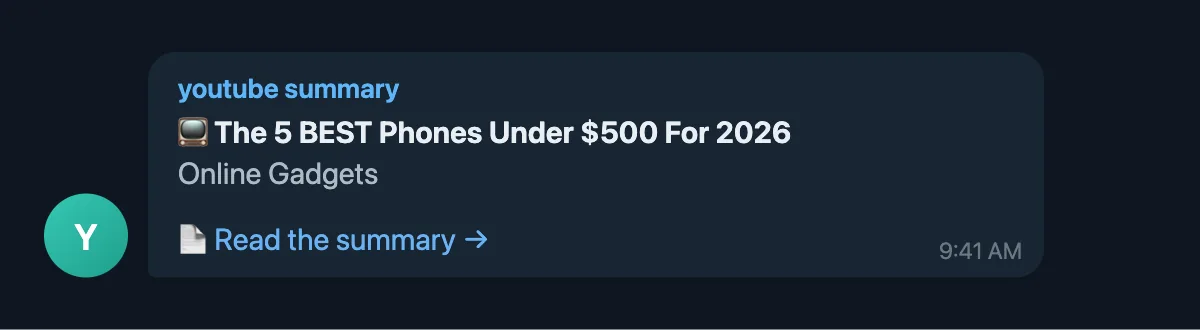 What the ping looks like (a faithful re-creation of the message format): the new video's title, the channel, and a link to read the summary on-site.
One nuance worth knowing: Auto-update and Autopilot don't switch each other on. Every video you summarize, by hand or on Autopilot, also lands in your Library, which you can ask directly. It joins the brain only if you add it or Auto-update is on.
Who builds these
The same four steps serve different goals: students querying a lecture channel, researchers digging through a back-catalog, marketers tracking competitor channels, solopreneurs keeping up with ten channels at once, and creators mining their own back-catalog.
What to know before you start
A brain only knows what's said in the videos you added, so the one limit worth remembering is which videos have captions.
Note: TubeCortex reads a video's caption track. A silent or music-only clip has no captions, so it gives the brain nothing to go on.
It works from the video's captions, so it can miss something shown on screen but never said aloud, and it answers about the videos in that brain, not all of YouTube.
Frequently asked questions
How do I build a YouTube brain? Paste a channel link into TubeCortex, pick the videos it should read, then ask it questions. The points in an answer that come from the videos carry a timestamped citation you can click.
Can I ask across several channels at once? Yes, with Compare, for up to five channels at a time. Build a brain for each channel, tick Compare on two to five of them on the Brains page, and ask one question across them. Each point is labeled with its channel, and the points taken from videos link to the moment.
Can I change which videos are in the brain later? Yes, a brain isn't locked at build time. Press Add videos on the brain's card to add more from the channel's catalog, or open Manage to select videos already in the brain and remove them.
Do new uploads join the brain automatically? Only if you switch on Auto-update. It's off by default, and you turn it on for each brain from its card on the Brains page. With it on, new uploads join the brain on their own and use credits like videos you add by hand (videos you've already summarized are free). With it off, you stay in control: press Add videos whenever you want one in the brain.
Is it free to start? Yes, TubeCortex is free to start. New accounts get 2,500 free credits, enough for dozens of full-length video summaries, with no credit card required, and you can buy more from your Account page. Building a brain, Autopilot, and the premium quality tiers use credits. When you run out, manual summaries and brain chat keep working on TubeCortex Free, the built-in free tier that spends no credits.
Build your first brain
Building a YouTube brain takes four steps: paste a link, pick the videos, ask, and get a cited answer. After a few minutes, the channel is something you query instead of watch. Paste your first channel and ask it a question with your free credits: Get started for free.