11 Oct 2026 · TubeCortex
How to Track Competitor YouTube Channels (Without Watching)
Track competitor YouTube channels without watching every video: build a brain per rival, ask up to five at once with Compare, and switch on Telegram pings.
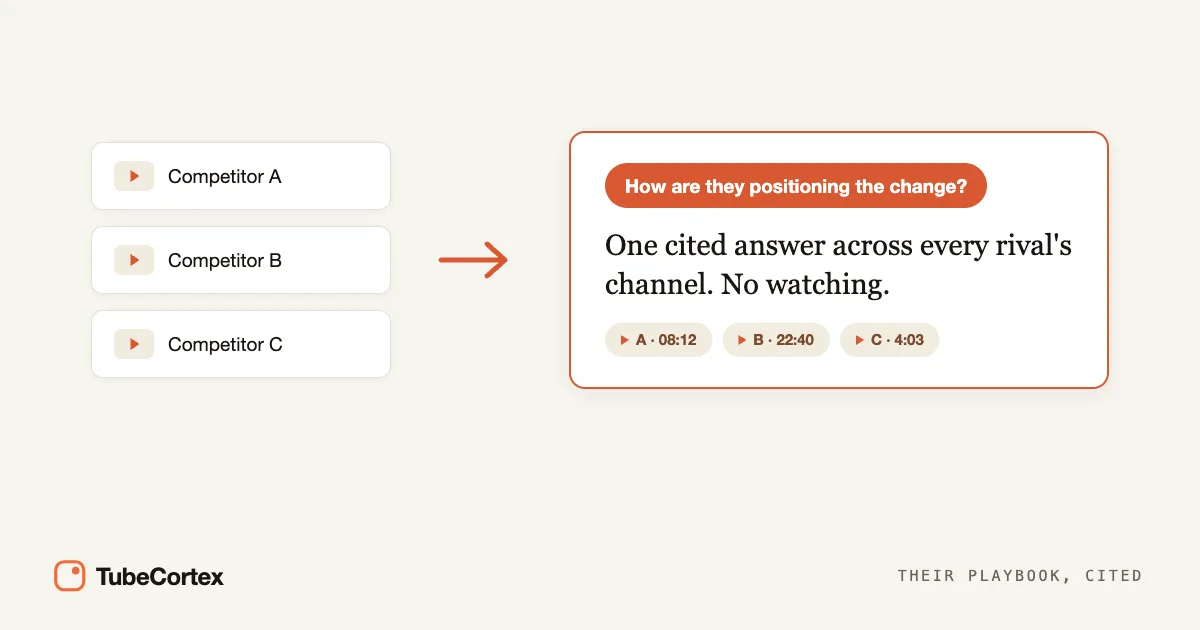
To track competitor YouTube channels without watching every video, build a TubeCortex brain for each rival channel. Then use Compare to ask up to five of those brains the same question at once. You get one answer: each point is labeled with the channel it came from, and the points taken from their videos link to the video and minute. Want to know when they post? Add the channels to Autopilot, and TubeCortex summarizes their new uploads (each automatic summary uses credits). Switch on Telegram for a channel and it pings you with a link, too.
Analytics tools count views and subscribers. TubeCortex reads what the videos actually say: the claims, the positioning, the angles. You're reading their playbook without sitting through the videos.
At a glance
| What you want | How TubeCortex does it |
|---|---|
| Track competitor YouTube channels | Build one TubeCortex brain per competitor channel, then ask it questions |
| Ask several rivals at once | Tick Compare on up to five competitor brains and ask them one question |
| Hear about new uploads | Add the channel to Autopilot: new uploads get summarized (uses credits). Switch on Telegram for that channel to get a ping with the title, channel name, and a link |
| Best for | Marketers and agencies keeping tabs on rival channels |
| Free to start | 2,500 free credits (dozens of full-length summaries), no card needed |
Step 1: Build a brain for each competitor channel
Think of a brain as a search engine that only searches the videos you gave it, and points you to the video and minute behind what it finds. Open Brains and press New brain (on a brand-new account the button says Create your first brain). Stay on the From a channel tab, type the competitor's channel name or paste its channel link, and press Build next to the right channel. One channel per brain, so repeat this for each rival. You don't need to subscribe to these channels on YouTube. New to the idea? Here's what a YouTube brain is and how to build one from a channel.
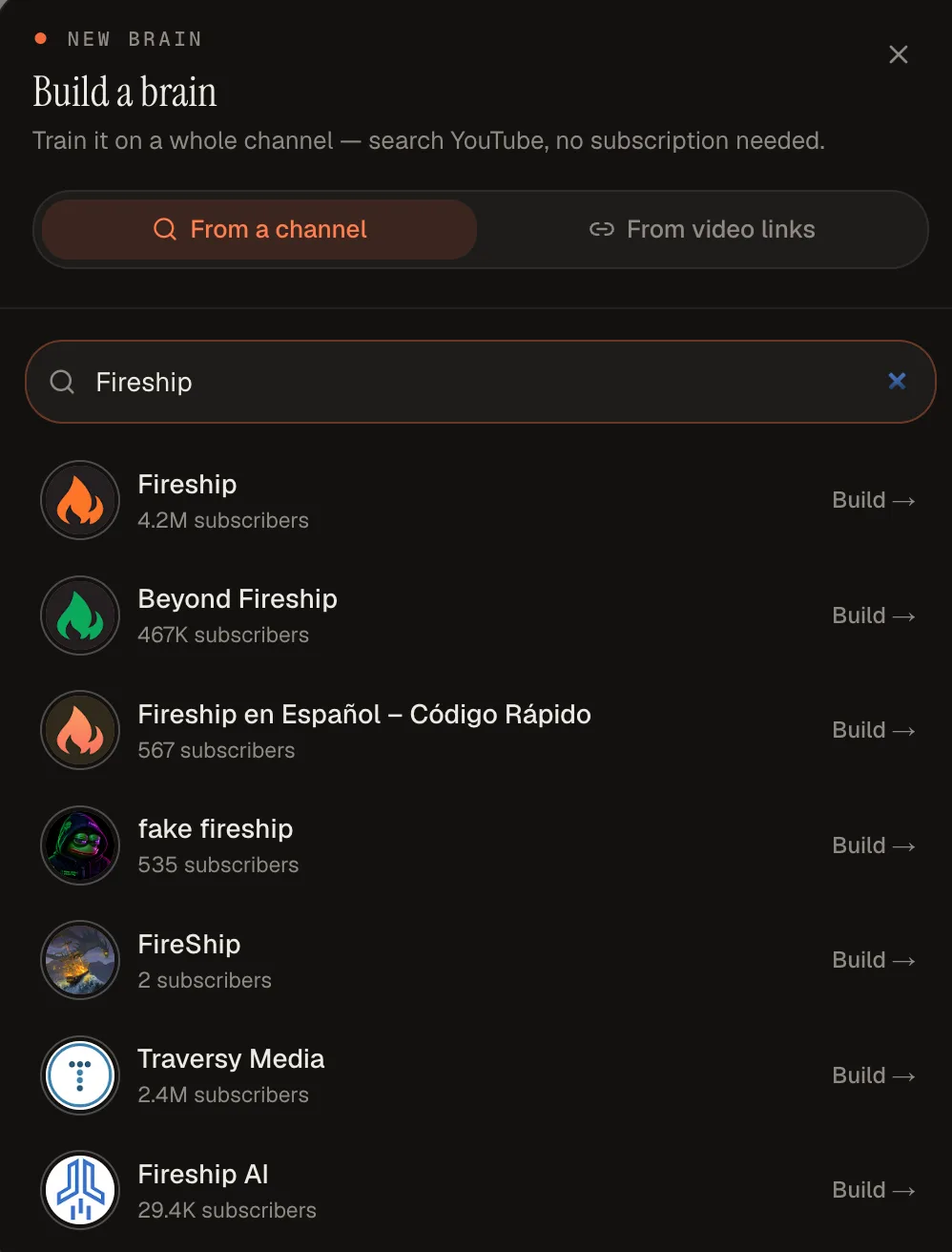 Type a competitor's channel name, then press Build next to the right channel.
Step 2: Pick the videos each brain should hold
TubeCortex opens a list of the channel's videos, newest first. Tick the ones this brain should hold, or use Select all. Press Load more videos to reach further back, then press Add to brain. TubeCortex reads the captions of each video (the words spoken in it, written out) and makes them searchable, so a competitor's back catalog becomes something you can ask about without watching a second of it. (Summaries are a separate thing. Autopilot writes those for new uploads in Step 4.)
Each video you add uses a small number of credits, and videos you've already summarized are free to add. There's no price preview in this window (you watch the credits add up while the brain builds), so start with a recent slice and add more later.
Step 3: Ask across them with Compare
On the Brains page, tick Compare on two to five competitor brains, then press Chat with all. Now you can ask them one question at once, the way you'd brief a teammate: "How are these channels positioning the new pricing change?" Tracking more than five rivals? Compare them in groups.
It searches by meaning as well as exact words, so you find the relevant moment even when they never used your phrasing. Each point is labeled with its channel, and the points drawn from videos cite the video and the moment, so you can drop a claim into a brief and show where it came from.
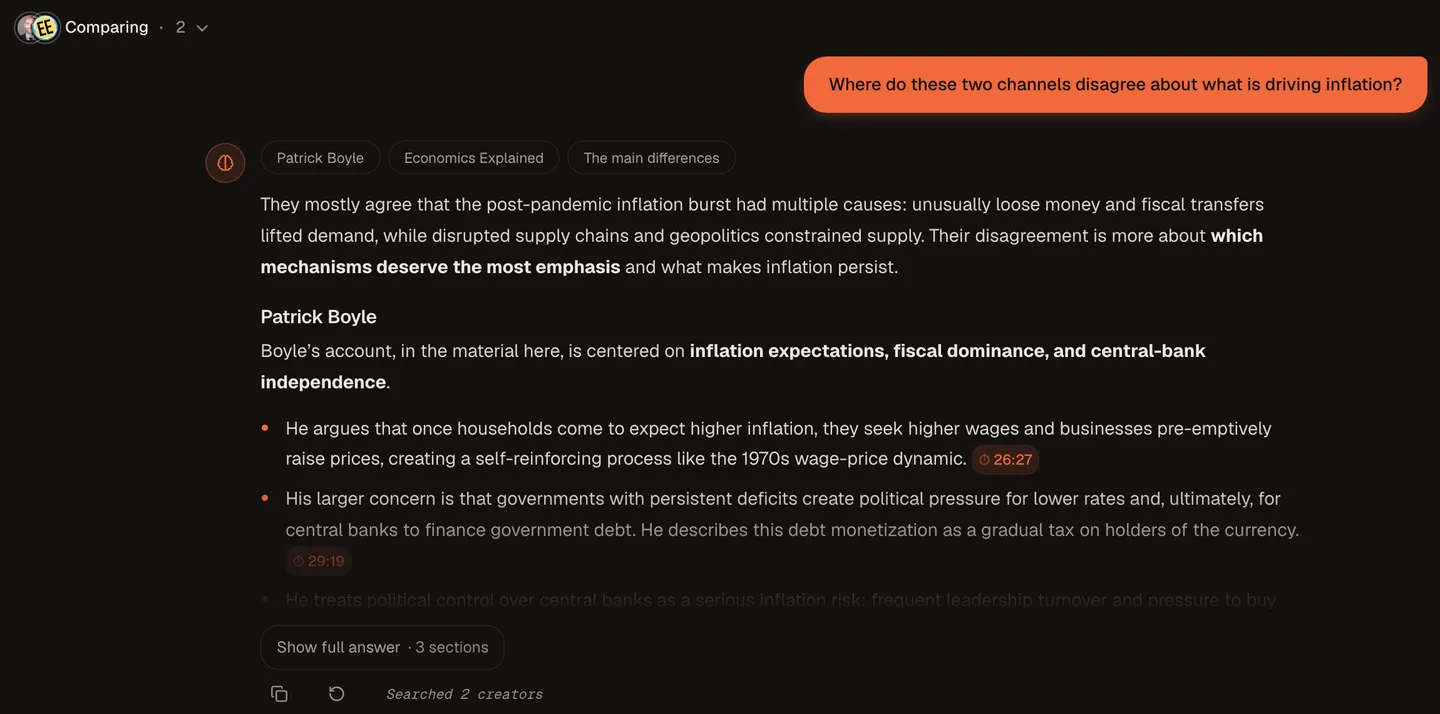 A real Compare run across two economics channels: one question, one answer, with each channel's position laid out and timestamped.
That screenshot is a real Compare answer across two economics channels, Patrick Boyle and Economics Explained, asked "Where do these two channels disagree about what is driving inflation?" It opens with where they mostly agree, then gives each channel its own section. Patrick Boyle's point that expected inflation feeds a wage-price loop links to 26:27 in his video. Swap in your competitors and your market's question of the week, and that's your brief.
Step 4: Get pinged when they post
Open Autopilot, paste a competitor's channel link (or search its name), and press Track. Then set up Telegram once: press Connect Telegram in the Telegram notifications panel and tap Start in the Telegram chat that opens. Last, tap the Telegram button on that competitor's channel card. Pings stay off for a channel until you do.
From then on, when the channel posts, TubeCortex summarizes the new video into your Library, and Telegram pings you with the title, the channel name, and a link to read the summary. The ping comes with the summary, so each one uses credits. You stop checking their channels, because they check in with you.
To keep that competitor's brain current too, go back to Brains and switch on Auto-update on its card. New uploads then join the brain on their own, ready for your next Compare question. Uploads Autopilot already summarized for you join free; other new videos use credits, the same as adding one by hand.
Note: Autopilot skips some uploads, and a skipped upload sends no ping. Videos without captions get skipped, and so do most very short videos (under about 3 minutes, like Shorts). So does everything once your credits run out: new uploads are skipped until you add more, and TubeCortex doesn't go back for the ones it missed. And if you set Autopilot's Interest mode to Only topics, uploads that don't match your topics are skipped too, so set a competitor's card to All videos if you want all of them.
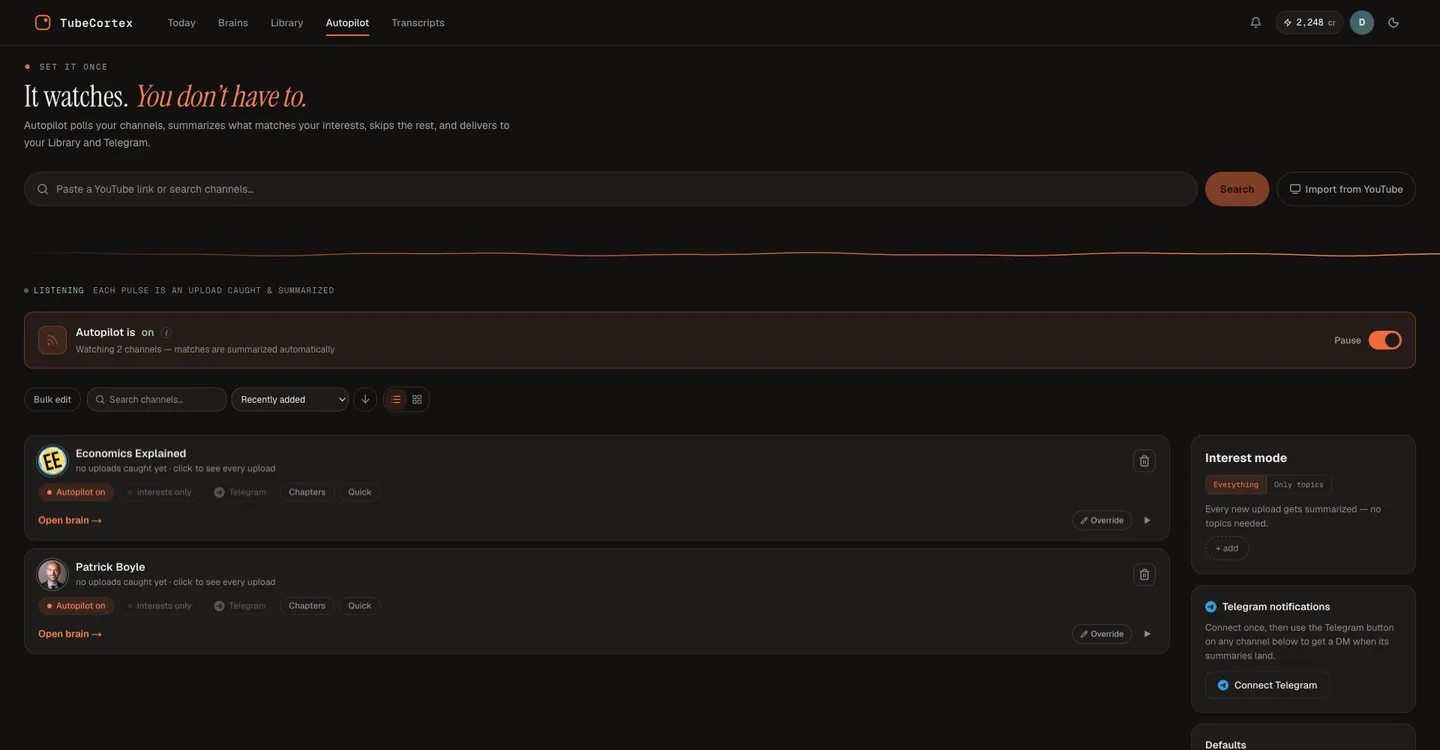 The Autopilot page tracking two rival channels. Each card has its own Telegram button, and Connect Telegram sits on the right.
The Monday-morning competitor brief
Once the brains exist, the weekly routine is short. Here's the version we'd run:
- Skim the week's Telegram pings. You already know who posted what without opening YouTube.
- Read the summaries of the two or three uploads that actually matter.
- If Auto-update is off for a brain, press Add videos on that competitor's brain and tick the uploads worth keeping. Ones Autopilot already summarized for you are free to add.
- Tick Compare on up to five competitor brains and ask about the topic your market is arguing over: "What are these channels saying about AI pricing, and what claims are they making?"
- Paste the answer into your notes or your team's channel. The points taken from videos link to the video and minute, so nobody has to take your word for anything.
The old version of this job was an afternoon of watching at 1.5x. This version is a coffee.
What tracking competitors costs
Tracking runs on credits, and three things use them:
- Building a brain: each video you add uses a small number of credits. Videos you've already summarized are free to add, and so are uploads Autopilot already summarized for you.
- Asking: each question you ask is an AI chat. TubeCortex Free, the option that spends no credits, covers asking questions but never Autopilot.
- Watching: each new upload Autopilot summarizes for you is an automatic summary. That's the part that adds up when a rival posts every day.
Every charge shows up with its label (Brain build, AI chat, Auto-summary) in Transaction history on your Account page. Going quiet for a while? Flip the Pause switch at the top of Autopilot. Uploads that come out while it's paused aren't summarized or charged, and they won't be summarized later either. Pause doesn't touch Auto-update, though: a brain with Auto-update on keeps adding new uploads, and paying for them, until you switch Auto-update off on its card.
Who tracks channels this way
Marketers and agencies use this to brief content faster and back positioning calls with real quotes. Founders watching a category, and sales or product teams collecting objections, run the same routine. See how it compares to ChatGPT and NotebookLM.
What it can track, and what it can't
A brain only knows what is said in the videos you added. It tracks what competitors say in public, not their private analytics, so you won't see their watch time or revenue. And Compare doesn't see upload dates, so ask it about a topic, not about "this week."
Note: TubeCortex reads the video's captions. A competitor video that's all music and product shots, with no caption track, gives it nothing to work from.
Frequently asked questions
How do I track a competitor's YouTube channel? Build a TubeCortex brain from the competitor's channel and pick the videos it should hold, so you can ask questions and get answers that cite the video and minute. To hear about new uploads, add the channel to Autopilot and switch on Telegram for it. Each new video is summarized (using credits) and you get a ping with a link.
Can I track several competitors at once? Yes, TubeCortex can compare up to five competitor channels in one question. Build a brain for each competitor channel, then tick Compare on up to five of them and ask your question. Each point is labeled with its channel, and points taken from the videos link to the video and timestamp. Tracking more than five? Compare them in groups.
Will I be notified when a competitor posts a new video? Yes, if the channel is on Autopilot with Telegram switched on. When Autopilot summarizes a new upload, Telegram pings you with the video's title, the channel name, and a link to read the summary on-site. Each automatic summary uses credits, and when you run out, Autopilot skips new uploads, so no ping arrives until you add credits.
How much does it cost to track a competitor? The cost of tracking a competitor depends on how many videos you add and how often the rival posts. Adding a video to a brain uses a small number of credits, and each new upload Autopilot summarizes for you uses credits too, so a channel that posts daily costs more to watch than one that posts weekly. You can see every charge, labeled Brain build, AI chat, or Auto-summary, in Transaction history on your Account page.
Is it free to start? Yes, TubeCortex is free to start. New accounts get 2,500 free credits, enough for dozens of full-length video summaries, and no credit card is required. Building brains and Autopilot summaries use those credits, and you can buy more from your Account page. Get started for free
Start tracking your competitors
Tracking competitor channels doesn't have to mean watching them. Build a brain for each rival, ask up to five of them at once with Compare, and let Autopilot and Telegram tell you when they post. Build your first competitor brain with your free credits and ask it a question: Get started for free.