27 Sep 2026 · TubeCortex
How to Summarize a YouTube Video with AI (Free + Cited)
Summarize a YouTube video with AI in TubeCortex: paste the link, read the summary, then ask follow-up questions and get answers linked to the exact timestamp.
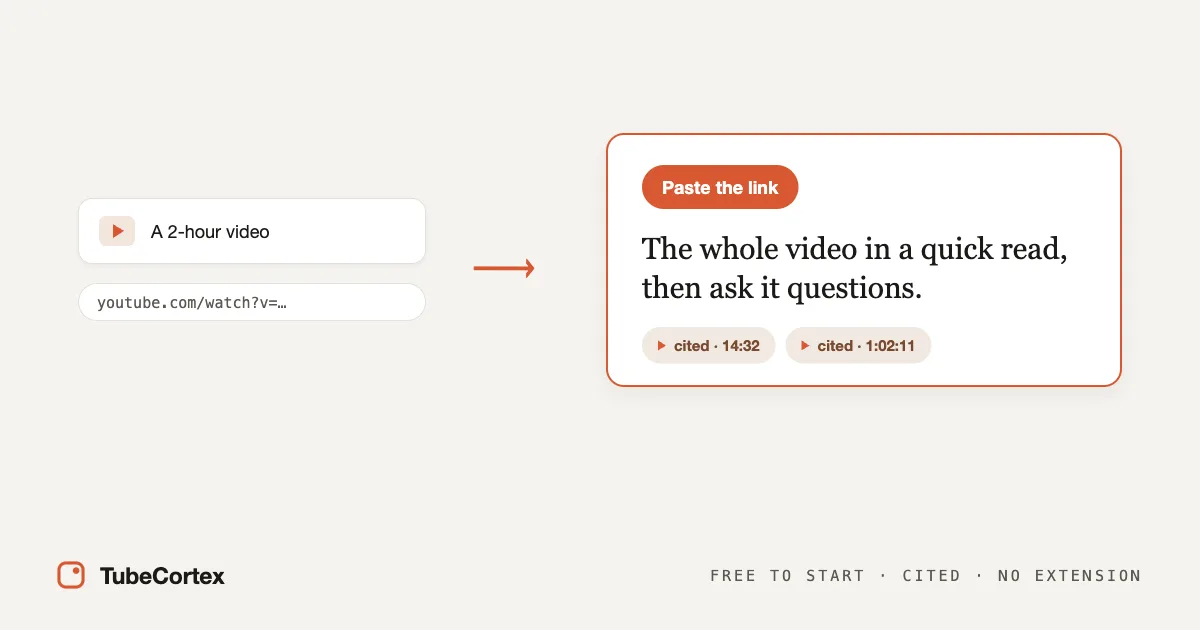
To summarize a YouTube video with AI, sign in to TubeCortex with Google, paste the video's link, and you get a clear summary built from what is said in the video. Then you can ask follow-up questions and get answers cited to the exact timestamp they came from. The account is free, and there's nothing to install or copy by hand.
Paste, read, ask.
At a glance
| Aspect | Detail |
|---|---|
| What it does | Summarizes a YouTube video and answers questions from what's said in it |
| Best for | Students and busy professionals, plus anyone who saves more videos than they watch |
| Input | A public YouTube video link, including Shorts |
| Account | You sign in with Google first (the account is free) |
| Output | A summary, plus cited answers with a clickable timestamp |
| Free to start | 2,500 free credits (dozens of full-length summaries), no card needed. Get started for free |
How to summarize a video in 3 steps
Step 1: Sign in and paste the video link
Sign in to TubeCortex with Google (it's free) and find the Quick summary box on your Home page. On a phone, the paste box sits near the top of the page. Paste the link to a public YouTube video where it says "Paste a YouTube link…" and press Summarize video (on a phone or a smaller screen, that button may show just an arrow). No download, no browser extension.
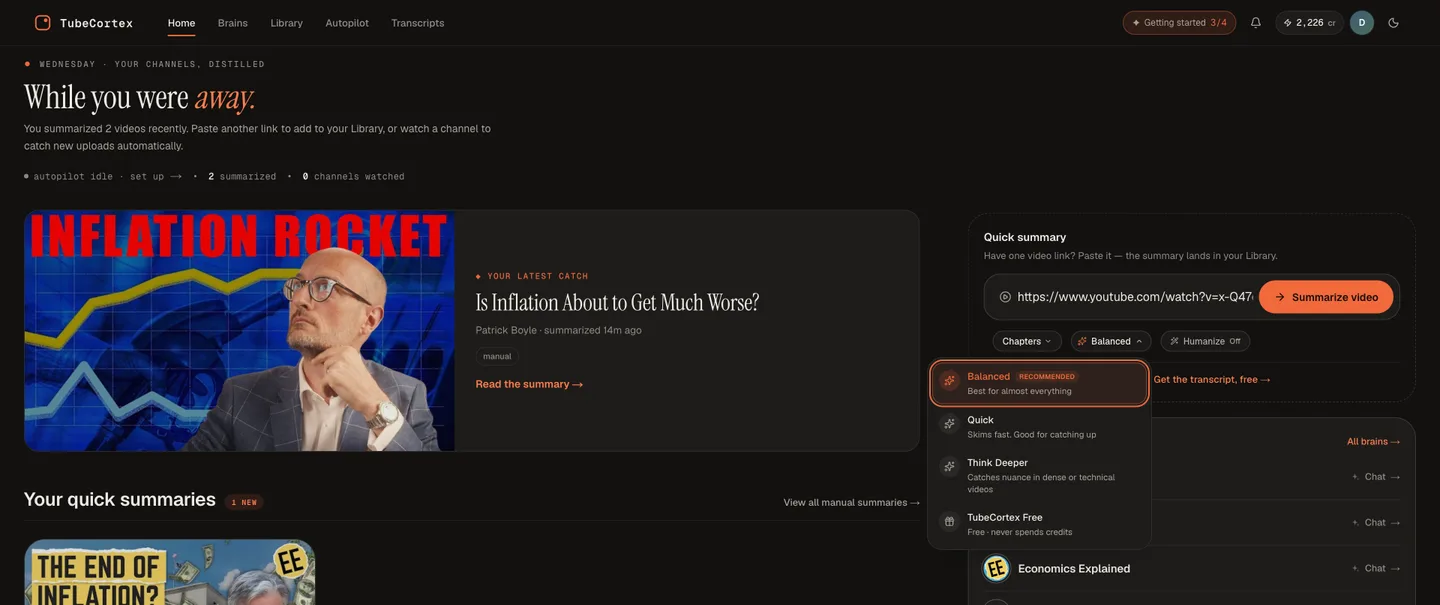 Paste a YouTube link into the Quick summary box and press Summarize video. The summary opens when it's ready, and you can ask it follow-up questions.
Step 2: Read the summary
TubeCortex reads the video's captions (the words spoken in it, written out) and writes a summary of what it covers. When it's done, a copy is saved to your Library, and if you're still on your Home page, the summary opens on its own. You get the main points without sitting through the whole video.
Step 3: Ask follow-up questions
Here's the part that makes a summary worth trusting. Each summary you make comes with its own chat for that one video. On a computer it sits beside the summary, in a box that says "Ask about this video…". On a phone, tap the Chat button near the bottom of the screen. Ask a question in plain language, and the answer comes back with timestamps you can click to jump the video to that exact moment.
So if the summary says the creator recommends a tool, you can ask "why that one" and jump to their reasoning. Here's how AI summarizes and answers from a video.
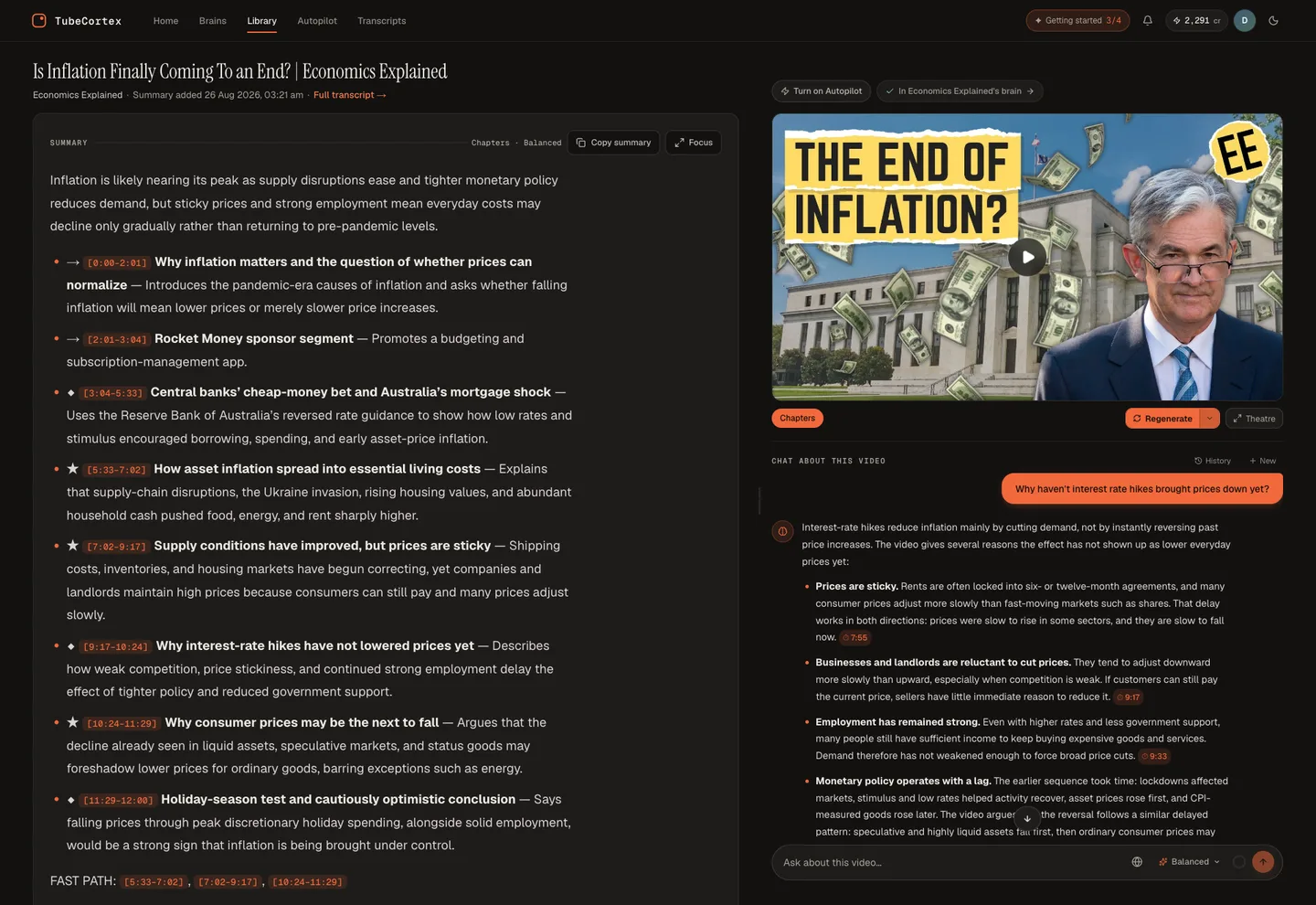 On a summary page, the Chat about this video panel sits beside the summary. Click a timestamp in an answer and the video jumps to that moment.
Pick the kind of summary you want
Not every video deserves the same kind of summary, so the paste box lets you choose the shape before you press go. A Verdict-style summary answers "what's the bottom line" for a review. Chapters walks the video section by section, which suits tutorials. Deep Dive goes long for the videos you'd otherwise take notes on. Teacher and Student are in the same menu, and you can write your own format too.
Right next to it sits the AI picker (until your first summary, it has the heading "Which AI writes it"), with Quick, Balanced, Think Deeper, and TubeCortex Free, which never spends credits.
My honest advice: don't overthink this on your first video. The default format, Chapters, does fine, and you'll know after two or three summaries which shape fits how you read.
Why the citation matters
A summary is only useful if you can trust it, and the easiest way to trust it is to check it.
Think of two friends. One has the video's script open and can point to the exact second you doubt. The other half-remembers it and fills the gaps with a guess. A grounded answer is the first friend: it pulls its reply from what is actually said in the video and points you to the moment, instead of leaning on whatever the AI happens to remember.
TubeCortex answers from the parts of the video that cover your question and puts a clickable timestamp next to each point it takes from the video. If the video never covers what you asked, TubeCortex tells you plainly. When it adds general knowledge of its own, it labels that part and leaves the timestamp off, so the timestamps show you which points came from the video.
Who summarizes videos this way
It's a fast way to find the one step buried in a long tutorial, and it suits a lot of people: students turning a lecture into something they can question, researchers pulling a claim out of a long talk, marketers tracking a competitor's videos, and anyone clearing a full Watch Later by reading instead of watching.
And if you keep coming back to the same creator, stop summarizing their videos one by one. Build a brain from the whole channel, a searchable collection of their videos, and ask all of it at once.
What can it summarize, and what can't it?
A summary is only as good as what is said in the video behind it.
Note: TubeCortex needs a video with captions or a transcript. A music clip or a silent demo has nothing to summarize. TubeCortex also can't summarize a clip with only a handful of spoken words, a live stream, or a private or members-only video. Length alone doesn't rule a video out, so a Short with someone talking in it works fine. A very long video can be too long for TubeCortex Free; if that happens, pick a paid tier or a shorter video.
Because it works from spoken words, it can miss something shown on screen but never said out loud. And it summarizes the video you give it, not the comments or anything off the page.
Frequently asked questions
How do I summarize a YouTube video with AI?
You sign in to TubeCortex, paste the video's link into the Quick summary box, and it writes a summary from what is said in the video. Then you can ask follow-up questions and get answers with timestamps you can check.
Is it free to summarize a video?
Yes, you can summarize a YouTube video for free. New accounts start with 2,500 free credits, enough for dozens of full-length video summaries, with no credit card required. You can also pick TubeCortex Free in the AI picker. It spends no credits on summaries you run yourself or on questions you ask, and it keeps working after your signup credits are gone (it doesn't cover Autopilot, the feature that summarizes new uploads from channels you follow). Here's how to use TubeCortex for free.
Do I need to log in or install an extension?
You need to sign in, but you don't need to install anything. You sign in with Google and paste a public video link into the Quick summary box on your Home page. There's no browser extension.
Are the summaries accurate, or does the AI make things up?
The summary and answers are built from what is actually said in the video, not the AI's guess. Each point taken from the video links its timestamp. If something isn't in the video, TubeCortex says so, and general background it adds is labeled and has no timestamp. AI can still misread a detail now and then, which is exactly why the timestamps are there.
Can I just get the transcript instead of a summary?
Yes, TubeCortex has a free YouTube transcript tool, and it doesn't need an account. Paste a link into the free transcript tool and you get the video's transcript with clickable timestamps, which you can search, copy, or download.
Summarize your first video
Summarizing a YouTube video with AI takes one step once you're signed in: paste the link. Shorter formats like Verdict and Chapters are often ready in seconds, and then you can ask the video a question and get a cited answer back. Paste your first video and try a question, free: Get started for free.