17 Aug 2026 · TubeCortex
You're Using YouTube Wrong: How to Turn 5 Videos Into One Instant Answer
Paste 5 YouTube video links into TubeCortex, build a brain, and ask one question. Get a single cited answer from all five videos without watching them.
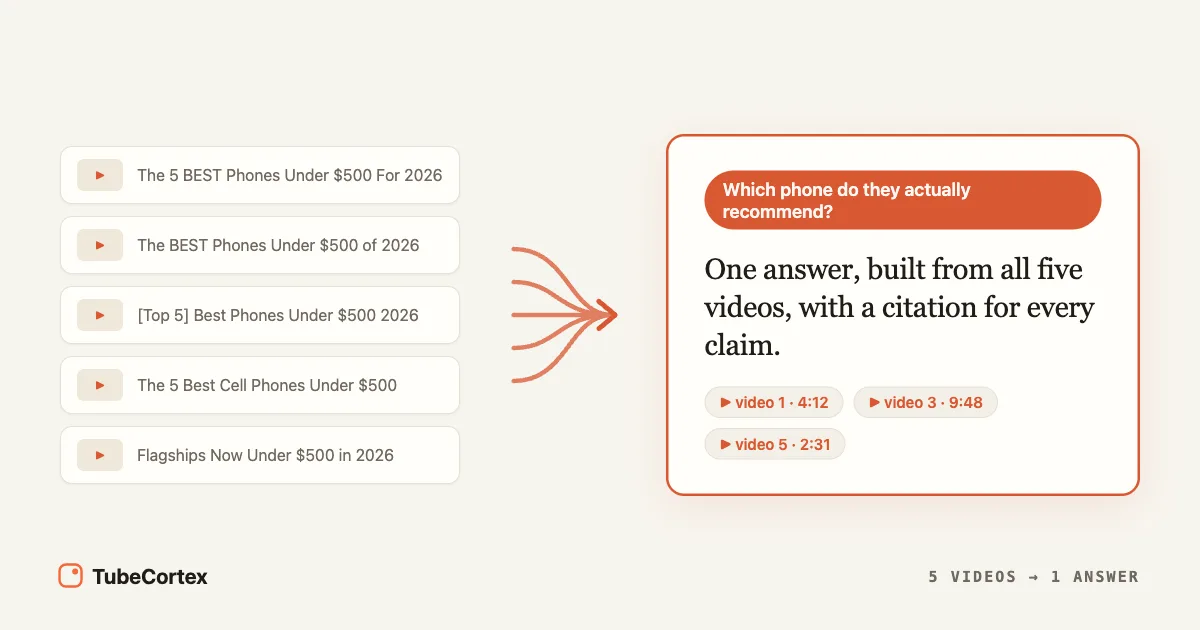
You searched "best phones under $500" and YouTube handed you five 15-minute review videos. That's more than an hour of watching to answer one question you could ask in a sentence. There's a faster way: TubeCortex lets you ask questions across YouTube videos. You paste five video links, it builds a private brain from what the reviewers actually said, and you get one answer with a link to the exact moment each claim came from. No watching required.
The whole setup takes about five minutes. And the answer you get isn't an AI's guess; it's assembled from the words spoken in those five videos, nothing else.
Setup at a glance
| Step | What you do | Time |
|---|---|---|
| 1 | Search YouTube, copy the 5 most relevant video links | 2 minutes |
| 2 | Open the Brains page, click New brain, choose From video links | 30 seconds |
| 3 | Paste the links and build the brain | Hands-off, ready in under 5 minutes in our test |
| 4 | Ask your question, get one cited answer | Seconds |
Start free: get started for free.
How to turn 5 videos into one answer, step by step
Step 1: Search YouTube like you always do, and copy 5 links
Type your question into YouTube the way you normally would: "best phones under $500 USA 2026." Skim the results and copy the links of the five most relevant videos. Don't overthink the picking; this is honestly the part people spend too long on. The top five relevant results are fine. You're not marrying them.
Tip: Hate juggling five links? Save the videos to a YouTube playlist as you browse (the Save button under each video), set the playlist to unlisted or public, then paste just that one playlist link in step 3. Same brain, one link. The visibility switch matters: new YouTube playlists are private by default, and a private playlist can't be read from outside your account.
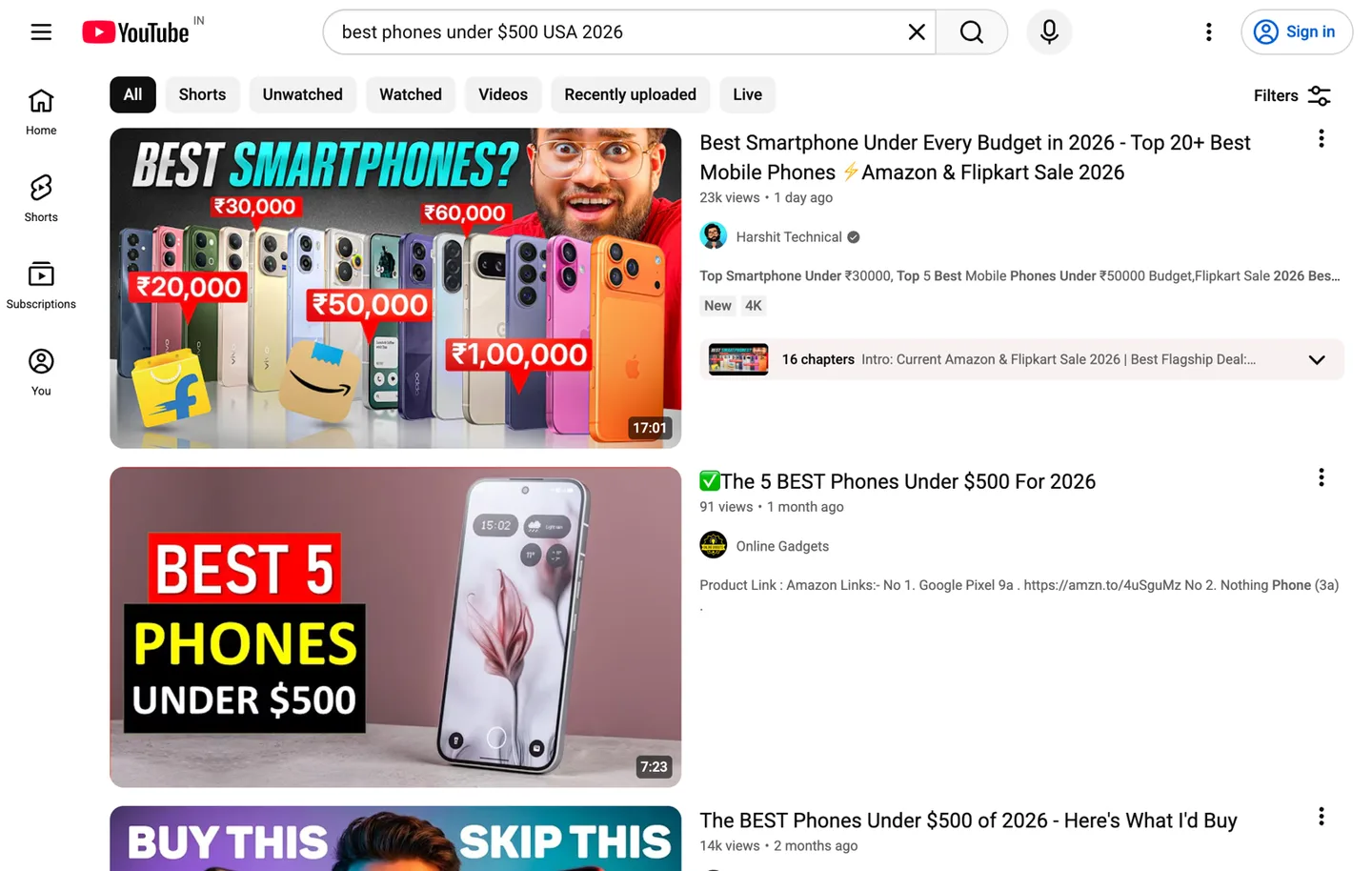 A YouTube search results page for the phone query, showing the five review videos whose links you'll copy.
Step 2: Open the Brains page and start a New brain
In TubeCortex, go to the Brains page and click New brain. In the dialog that opens, switch to the From video links tab. A brain here is simple to picture: it's a search engine that only searches the videos you give it, and it always tells you which video and which minute an answer came from.
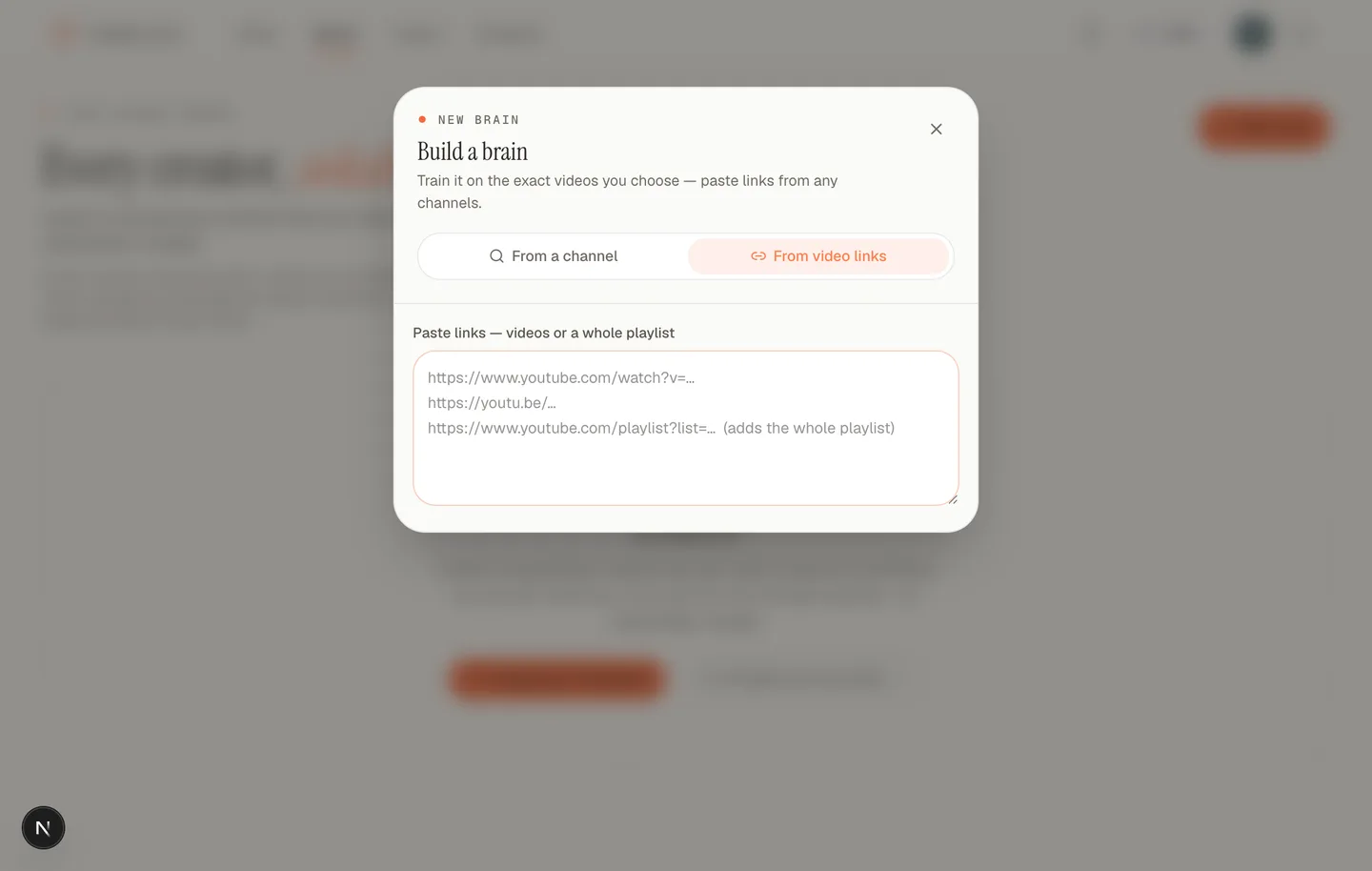 The Build a brain dialog with From video links selected. Paste your YouTube links in the box, one per line.
Step 3: Paste your 5 links and build
Paste all five links into the box and hit build. The box also accepts a whole playlist link if that's where your videos live. TubeCortex reads the words spoken in each video (the transcript) and indexes them so they can be searched by meaning. This part is hands-off. You can go refill your coffee; it keeps working without you. In our test, five review videos were ready to ask in under five minutes.
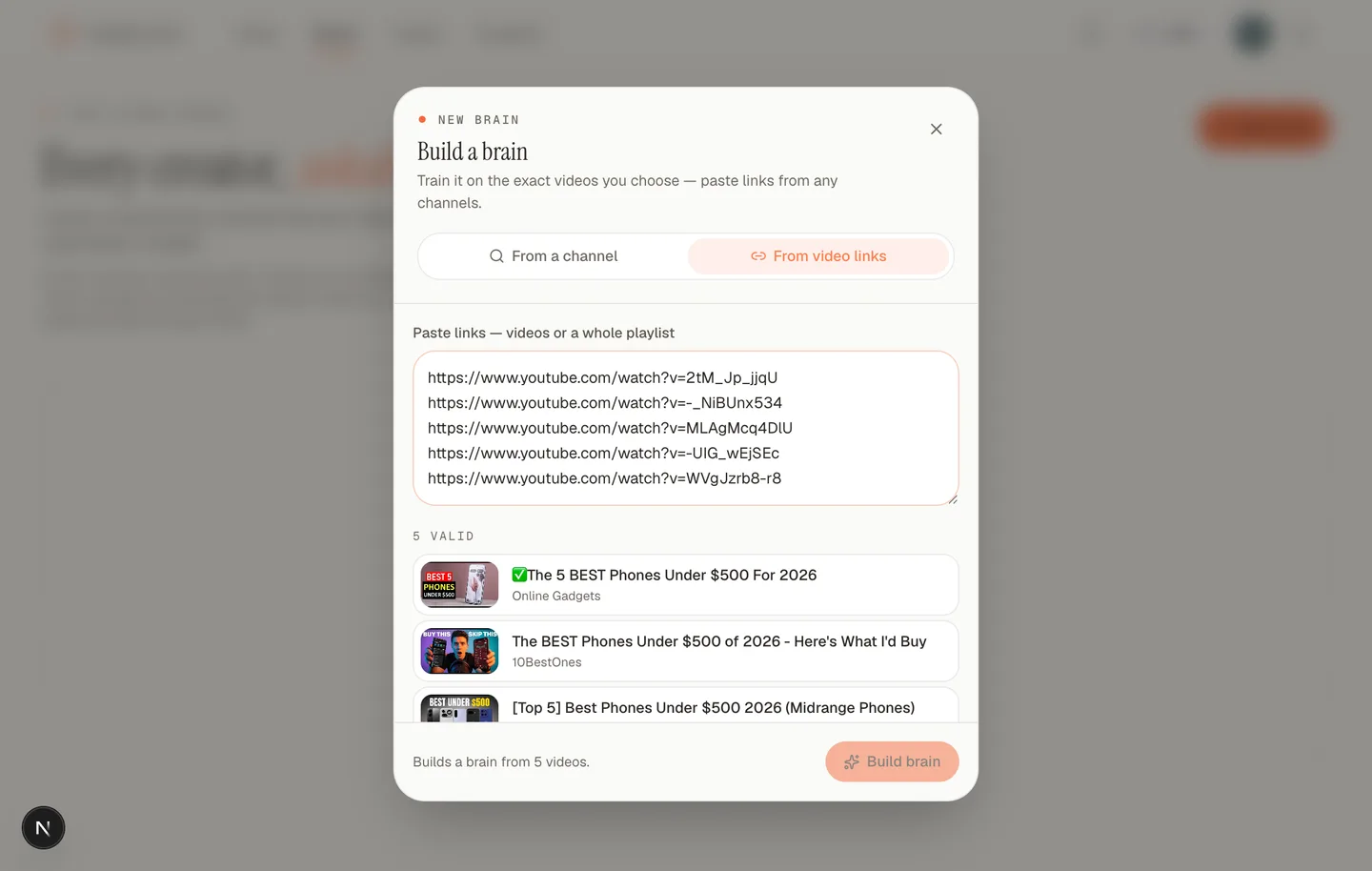 The five pasted review videos recognized with their titles and channels. Name the brain and hit Build brain.
Step 4: Ask the same question you searched
Now ask the brain the question that started all this: "Which phone under $500 do these reviewers actually recommend, and why?" The answer comes back in seconds, built from all five videos at once, with a timestamped citation under each claim so you can jump to the exact moment a reviewer said it.
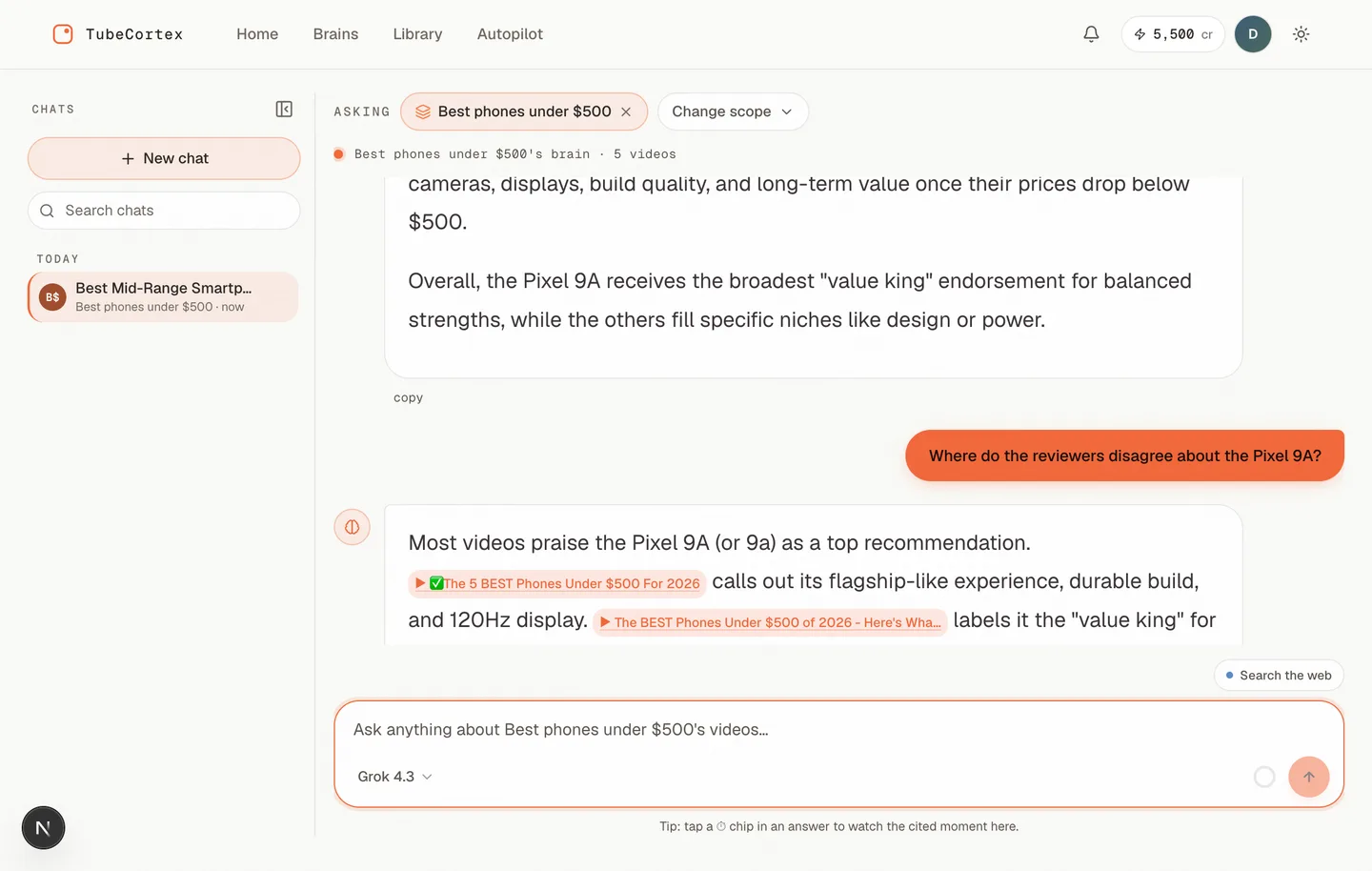 One answer drawn from all five review videos. Each claim carries a clickable citation naming the exact video it came from, and tapping a citation plays the cited moment.
That's it. Five videos in, one cited answer out, and you never pressed play.
Why ask questions across YouTube videos instead of watching them?
Because most of the runtime isn't for you. Review videos open with sponsor reads, unboxings, and recaps of last year's model (reviewers love padding, you know this). The sentence you actually need, "skip this one, the battery is worse than the spec sheet suggests," might be 40 seconds of a 15-minute video. Multiply that by five videos and you're watching more than an hour of footage for a few minutes of signal.
Asking across all five at once flips that ratio. You get the signal first, and the timestamps let you watch only the moments that matter.
How one answer comes out of five videos
One answer comes out of five videos because TubeCortex reads the words spoken in every video you added and builds its reply only from passages it can cite. Three things happen behind that chat box, and each one is worth understanding before you trust the output.
The answer comes from the videos, not the internet
TubeCortex answers from the transcripts of the five videos you added, not from the AI model's general memory. Think of the difference like this: it's a friend who actually watched all five reviews and can point at exactly where they heard something, instead of a friend guessing from things they read online last year. If none of your five videos covers your question, TubeCortex tells you that instead of inventing an answer. This approach is called retrieval-augmented generation, or RAG. You never need to know the name to use it, but if you're curious, here's how the whole thing works, explained simply.
Every claim carries a timestamp you can check
Each part of the answer links to the video and moment it came from. So when the answer says "two of the five reviewers flagged the camera in low light," you can click through and hear it said. You verify in seconds what would have taken an hour to find by scrubbing. This is the single biggest difference between a cited answer and a chatbot's summary that you just have to take on faith.
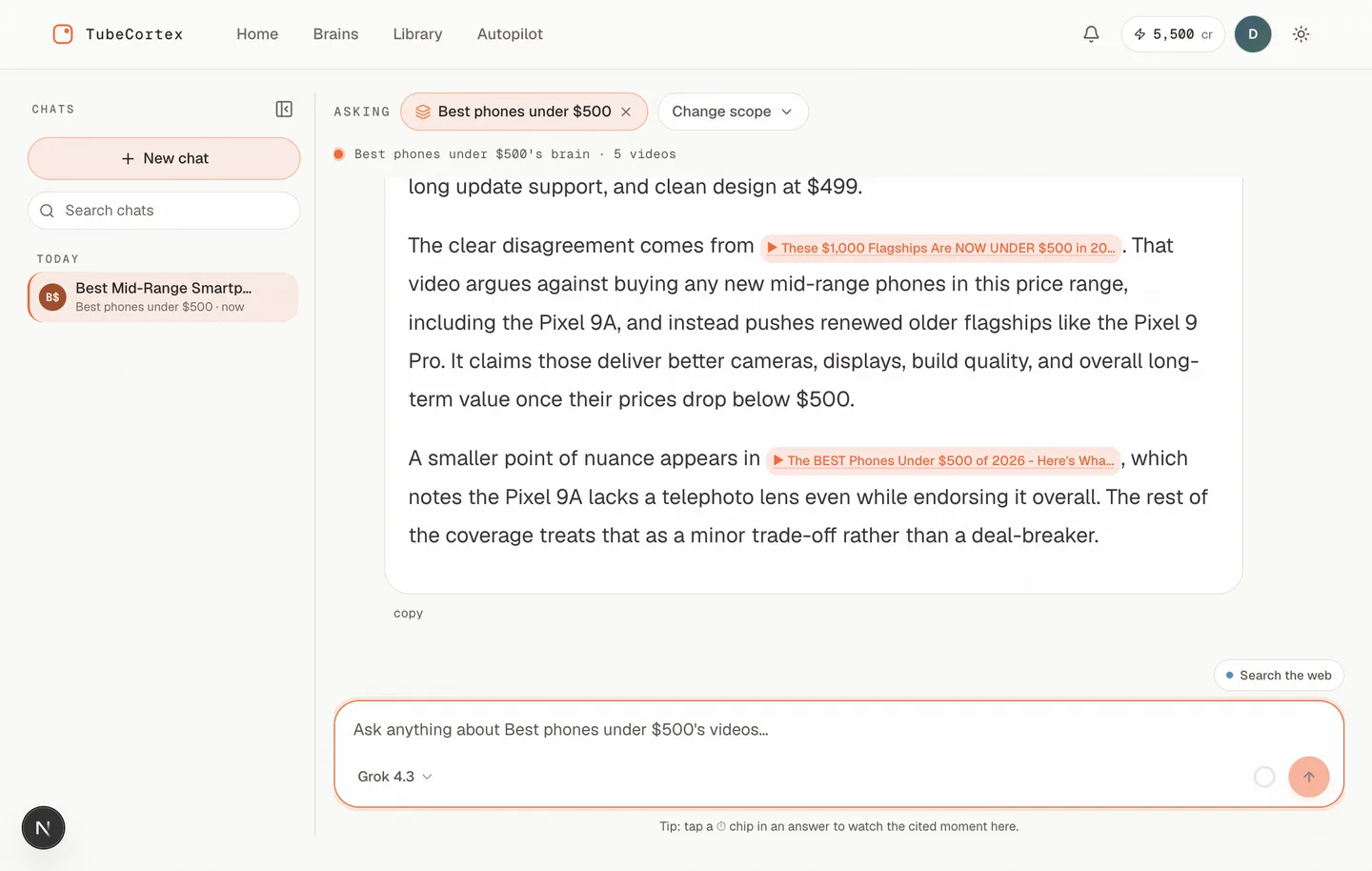 Asked where the reviewers disagree, the answer separates who said what: four videos endorse the Pixel 9A while one argues for renewed flagships instead, each claim cited to its source video.
Five sources beat one, especially when they disagree
One reviewer's favorite phone is another reviewer's "wait for the successor." Because the brain holds all five videos, this is also the easiest way to compare YouTube videos with AI: ask where the reviewers disagree, and the answer separates who said what, each with its own citation. That's the question a single video can never answer for you.
What this looks like in practice
Take the phone search. Watching five reviews at roughly 15 minutes each is about 75 minutes, and realistically you'd scrub around and still miss things. We ran this exact query while writing this post: the brain came back with the Google Pixel 9A as the pick most reviewers converged on, flagged that one of the five argued for buying a renewed older flagship instead, and even surfaced the nuance that the 9A lacks a telephoto lens. Every one of those claims arrived with a citation to the review it came from. The brain route: two minutes of copying links, a hands-off build (ours was ready to ask in under five minutes), and your first answer in seconds. Call it five minutes of your attention instead of an hour and a quarter. Then keep asking follow-ups: "Which of these phones has the best battery?" "Did anyone mention how it handles gaming?" Each answer comes back cited.
Same recipe, different decisions
The setup never changes: search, copy five links, build, ask. What changes is the question. Anywhere five videos hold the answer to one decision, this works.
- An upcoming stock IPO. Grab the five most watched analysis videos and ask: "What bull and bear cases did these analysts lay out, and what valuation worries came up more than once?"
- Any gadget or appliance. Standing desk, air fryer, robot vacuum: five reviews in, then "Which one do they actually recommend for a small apartment, and what broke first?"
- An online course or certification. Five "I took it, here's my experience" videos, then "Was it worth the money, and who says it wasn't?"
- A trip you're planning. Five "one week in Tokyo" videos, then "What did every one of them say to skip, and what mistakes did they warn about?"
- A diet or workout program. Five creator experiences, then "What results did each person report, and what did they all struggle with?"
The pattern in every case is the same: the question you'd normally answer by watching becomes a question you just ask. And because every claim is cited, "one YouTuber said so" turns into "three of the five said so, here are the timestamps."
Already summarized the videos? Skip the brain
There's a second way to get the same one-question answer, and it needs no setup at all. Every video you summarize in TubeCortex is saved to My Library, and the Ask page can answer from your whole library at once. So instead of building a brain, summarize the five reviews one at a time, open Ask, leave every brain unselected, and type the same question: "Which phone under $500 do these reviewers actually recommend?" You get the same grounded answer with the same timestamped citations.
Think of it as a project folder versus your whole filing cabinet. A brain is a folder you set up for one decision. The library route just asks the cabinet.
The cabinet wins when the videos are already in it. Say you've been summarizing IPO analysis videos as they came out over the past month. The moment you're ready to decide, the answer is one question away. No copying links, no build step.
Note: A library-wide answer searches your whole library, not just the five videos you care about today. A phone question in a library full of cooking videos will still find the phone reviews, but a brain scoped to exactly your five picks keeps the answer tighter. And summarizing five videos one by one takes more clicks than pasting five links once. For a deliberate research session, the brain is still the fast lane.
Who this helps most
If you're a side-hustler or just someone who researches before buying, this is your recipe: decisions in minutes, not evenings. Students can point the same trick at five lecture videos before an exam (here's the study-notes version). Marketers can pull five competitor videos into one brain and extract every claim they make. And if your research runs bigger than five videos, whole channels or dozens of sources, see how to research a topic across dozens of YouTube videos or build a brain from an entire channel.
What TubeCortex can and can't do here
Note: TubeCortex reads the words spoken in a video, so each video needs captions or clear speech. A silent B-roll comparison chart that's never read aloud won't make it into the answer.
Note: Five videos is the recipe, not a ceiling. A brain happily takes more links, so if your question needs eight videos, paste eight. It even takes a whole playlist: paste a playlist link and every video in it joins the brain. Five just keeps the picking fast and the answer focused.
The answers are also only as good as the videos you chose. If all five reviewers skipped battery testing, the brain will tell you it's not covered rather than guessing. That honesty is the point, but it means your step 1 choices matter.
Frequently asked questions
Can AI answer a question from multiple YouTube videos at once? Yes. TubeCortex builds a private brain from the video links you paste, five or more, and answers your question from all of them in one response, with a timestamped citation for each claim. You ask once instead of watching five times.
Do I have to watch the videos first? No. You paste the links without pressing play, and the answer comes back with timestamps, so the only watching you might do is jumping to a cited moment to hear it yourself.
Are the answers actually from the videos or made up? The answers come from the words spoken in the videos you added, not from the AI's general memory. Every claim carries a citation to its source video and timestamp, and if your videos don't cover the question, TubeCortex says so instead of inventing an answer.
What kinds of questions work best? Comparison and extraction questions shine: "which phone do these reviewers recommend," "where do they disagree," "what price did each analyst mention." Anything where the answer lives in what was said across your five videos.
Do I have to build a brain to ask across videos? No. Every video you summarize lands in My Library, and asking from the Ask page with no brain selected answers from your whole library, with the same timestamped citations. A brain just narrows the answer to a hand-picked set of videos, which keeps things focused once your library grows.
Can I add different videos later? Yes. You can open an existing brain, remove videos, and paste new links to add more, or build a fresh brain for a fresh question.
Is it free to start? Yes, TubeCortex is free to start. New accounts get 2,500 free credits, enough for dozens of full-length video summaries, with no credit card required. Get started for free and build your first brain today.
Stop watching. Start asking.
You already know how to find the right five videos; you've been doing it for years. The only thing changing is what happens next: instead of watching them, you ask them. Five links, one brain, one cited answer, and an hour of your evening back. Got a decision you're researching right now? Paste your five videos and ask, free.