25 Oct 2026 · TubeCortex
YouTube Information Overload? Read the Short Version Instead
Follow more YouTube channels than you can watch? TubeCortex Autopilot summarizes their new uploads and can ping you on Telegram with a link.
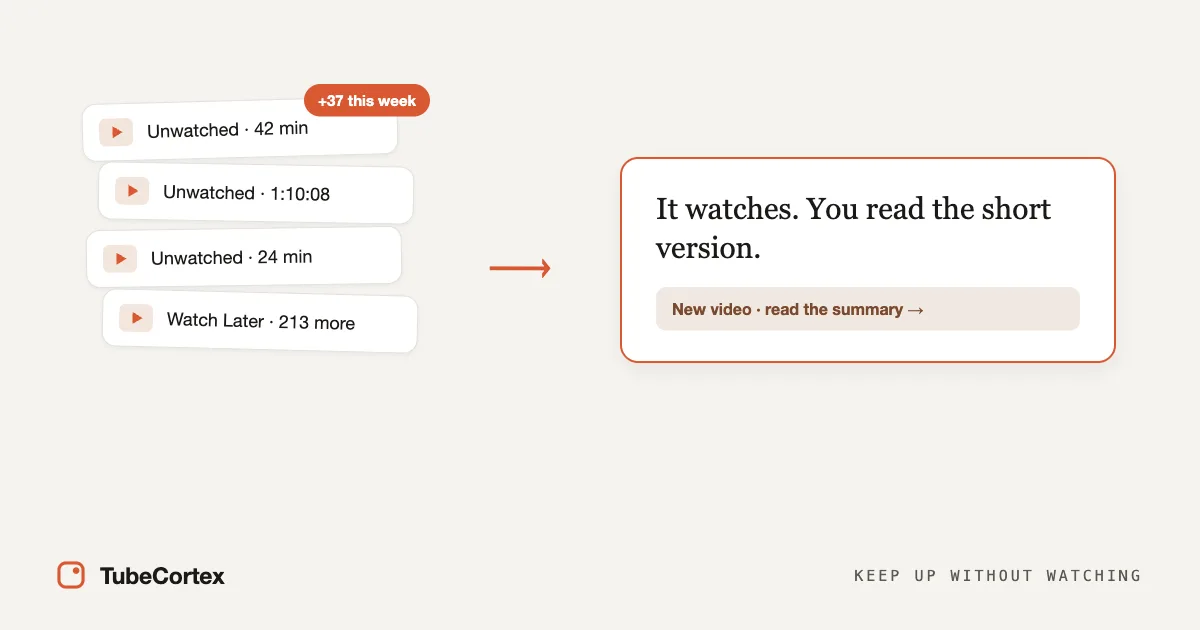
YouTube information overload is what happens when you follow more channels than you can ever watch, so unwatched videos pile up faster than you clear them. The fix isn't watching faster. Let TubeCortex Autopilot keep an eye on those channels, summarize their new uploads, and ping you on Telegram if you want, so you read the short version of each new upload instead of losing an evening to your Watch Later. It's like a personal assistant who sits through the videos you don't have time for and leaves the notes on your desk.
If you feel behind, it's because there's too much to watch. That's true whether you're a solopreneur keeping up with your field, a student following a course, a hobbyist learning a craft, or anyone staying on top of the news.
At a glance
| Aspect | Detail |
|---|---|
| What it does | Watches the channels you pick, summarizes their new uploads, and answers questions across your Library |
| Best for | Solopreneurs and busy people following more channels than they can watch |
| What you give it | The channels you want to keep up with |
| What you get back | A summary for each new upload Autopilot catches, an optional Telegram ping with a link, and cited answers when you ask |
| Free to start | 2,500 free credits (dozens of full-length summaries), no card needed. Each automatic summary uses credits. Get started for free |
How to keep up without watching everything
Here's the whole loop. You set it up once on the Autopilot page, and then it runs on its own.
- Track your channels. Open Autopilot and add the channels you already watch. TubeCortex starts keeping an eye on them for new uploads.
- It summarizes new uploads on its own. When a channel posts, TubeCortex reads the video's captions and writes a summary, with no app to reopen and nothing to paste. Each automatic summary uses credits.
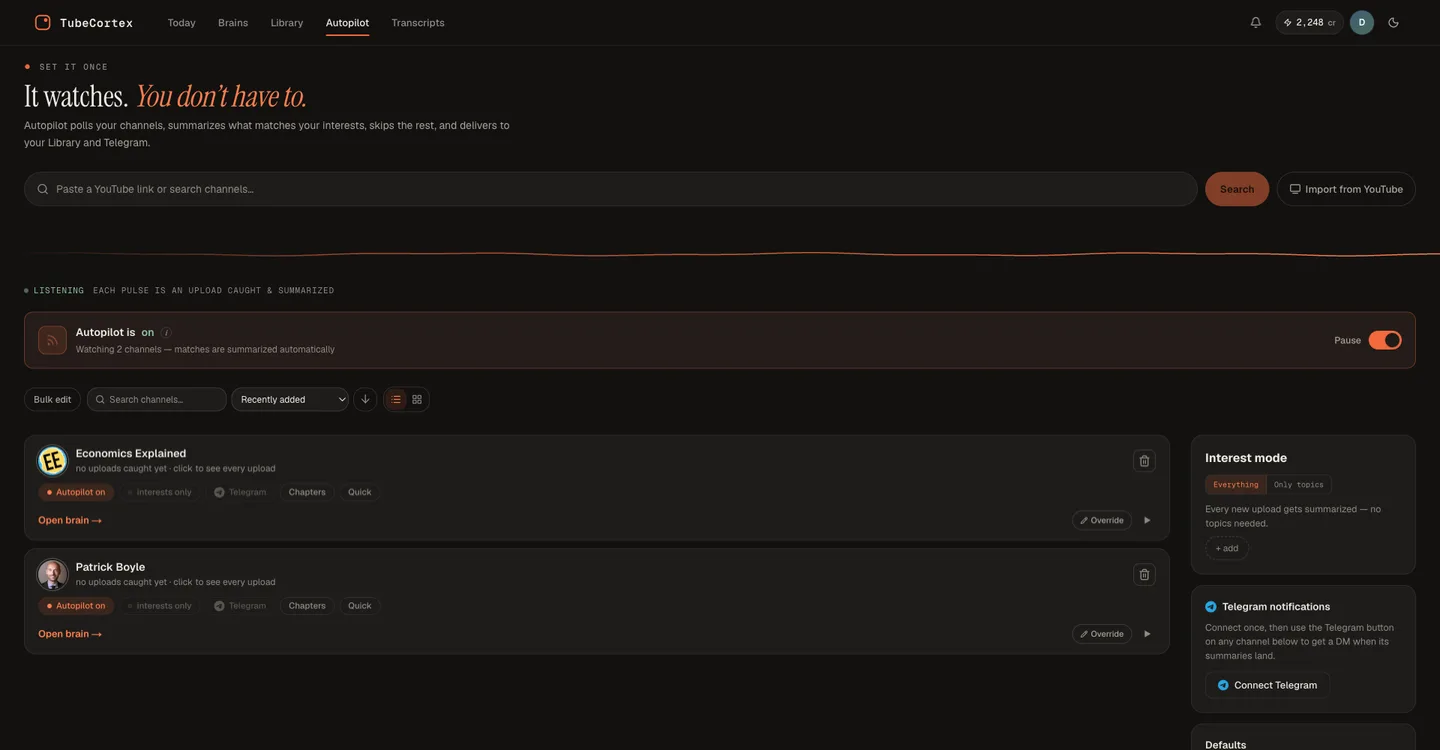
Track a channel on the Autopilot page by pasting its link or searching its name, then use Interest mode to pick Everything or Only topics.
- You get a Telegram ping, if you want one. Switch Telegram on for a channel, and each new summary from it sends you the video's title, the channel name, and a link. The summary lives in TubeCortex; the ping just takes you straight to it.
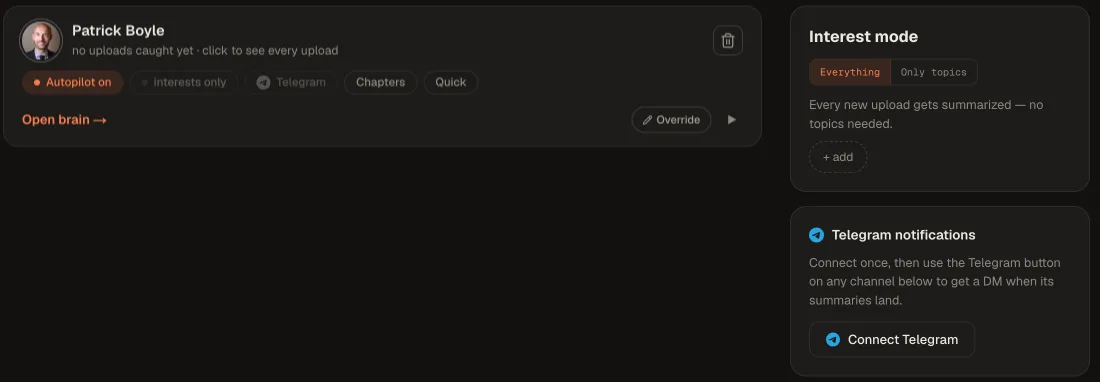
Press Connect Telegram, tap Start in Telegram, then tap the Telegram button on each channel you want pings for.
- Ask across your Library when you need to. Every summary lands in your Library. Ask it one question and get an answer that cites the video and the minute it came from.
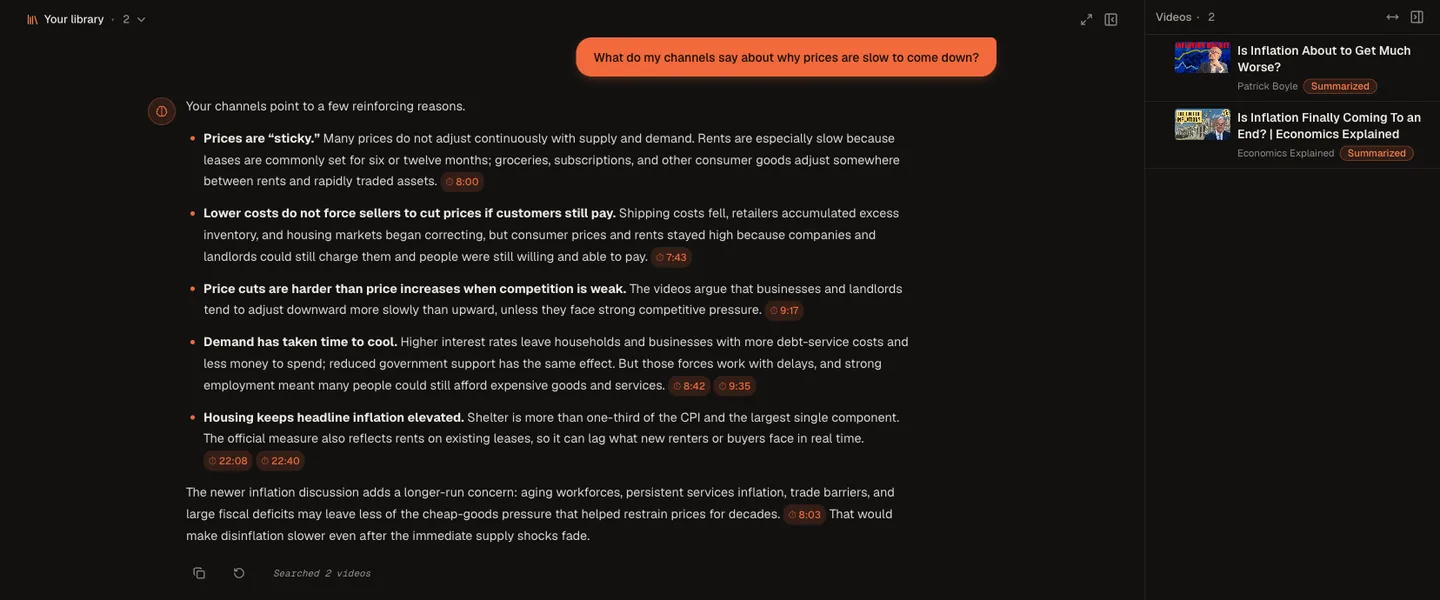
Ask your Library about a topic, and each point links back to the video and minute it came from.
Note: Autopilot doesn't summarize every upload. It skips videos without captions or a transcript (music videos and silent clips usually have none), most very short videos (under about 3 minutes, like Shorts), uploads that don't match your topics when Interest mode is set to Only topics, and anything from a channel you've paused. Each automatic summary also uses credits. When yours run out, new uploads are skipped until you add more, and TubeCortex doesn't go back for the ones it missed.
Your first 15 minutes
Setting the loop up is a one-time job, and it's short:
- Minutes 1 to 5: pick your channels. Not everything you're subscribed to, just the ones you'd feel behind on missing. For most people that's five to ten channels, and being picky here is the real trick (every channel you add means more summaries to read and more credits spent). The point is to shrink the noise.
- Minutes 5 to 10: track them on Autopilot. Open the Autopilot page, then paste each channel's link and press Track, or search the channel by name and press Track on the right result. (Already subscribed on YouTube? Import from YouTube lets you pick from your subscriptions.) From here, new uploads from those channels get summarized without you doing anything. Want even fewer summaries? Set Interest mode to Only topics and add a topic or two, like "AI agents," and Autopilot skips uploads that don't match.
- Minutes 10 to 15: connect Telegram. On the same Autopilot page, press Connect Telegram and tap Start in the Telegram chat that opens. Then tap the Telegram button on each channel you want pings for. It stays off for a channel until you do. That's it. The loop now runs itself. Each new summary uses credits, and your only job left is reading them as they arrive.
What this looks like in practice
Say you follow eight channels in your field. Keeping up runs about eight hours a week. With TubeCortex, those hours become a stack of short reads as the summaries land. On Monday you open Today, skim what Autopilot caught, and ask your Library the one question you care about, like "what did my channels say about pricing?" You get one answer, with each point cited to its video. The backlog becomes a feed you skim.
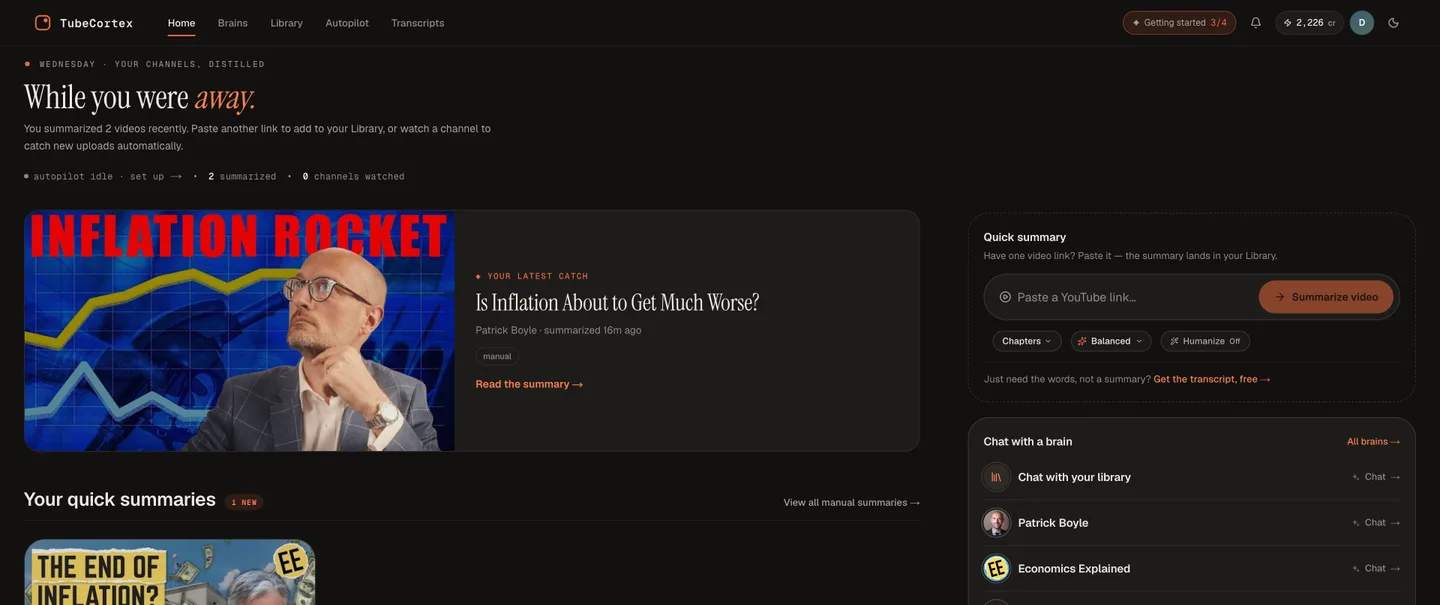 The home screen puts your latest summary up top, with Chat with your library one tap away on the right. Once Autopilot tracks a channel, this page is called Today.
There's a compounding effect, too. Every summary Autopilot writes lands in your Library, so six months in, you can ask "what have my channels said about this?" and get points from months of videos, each cited back to its video and minute.
If you fall off the wagon
You will, at some point, ignore the pings for two weeks. Here's the nice part: summaries don't nag. They sit quietly in your Library until you want them. Come back whenever. Open Today to see what Autopilot caught while you were gone, then ask your Library about the topic you actually care about. A backlog of videos is hours of debt. A backlog of summaries is one question.
One thing to know before you disappear: Autopilot keeps summarizing, and spending credits, while you ignore it. If your credits run out, Today and the Autopilot page both tell you that new uploads are being skipped.
Heading off for a while? Flip the Pause switch near the top of the Autopilot page. While it's paused, new uploads aren't summarized and you aren't charged for them. They won't be summarized later either, but you can still summarize any of them yourself by pasting the video's link.
What it can and can't do
TubeCortex only keeps up with the channels you give it. It works from a video's captions, so it can miss something shown on screen but never said, like an unlabeled chart. And it answers from the videos you've added, so a brand-new topic nobody you follow has covered won't be in there yet.
Note: Your Library can't narrow an answer to a date range. Today shows what's new, but a Library question like "what did my channels cover last week?" can pull in much older videos, so ask about a topic instead.
Frequently asked questions
How do I keep up with YouTube channels without watching every video?
TubeCortex Autopilot can track the channels for you and summarize their new uploads on its own. If you switch Telegram on for a channel, it also pings you with a link, so you read the summary first and decide whether the full video is worth your time.
Can I ask a question across all the channels I follow?
Yes, one question to your TubeCortex Library searches across the videos Autopilot has summarized from all your channels. Each point in the answer is cited back to its source video and moment. Ask about a topic, since the Library can't filter answers by date.
Does the Telegram message contain the summary itself?
No, the Telegram ping carries only the video's title, the channel name, and a link. It's a doorbell, not the mail. The summary itself lives in TubeCortex, a tap away (you may need to sign in the first time). Your chat stays short and easy to scan.
Will it summarize my existing backlog too, or only new videos?
Tracking a channel on Autopilot covers only new uploads from that point on. For videos already out, paste a video's link to summarize it, or build a brain from the channel to make its back catalog askable (building a brain uses credits).
Does Autopilot keep going when my credits run out?
No, Autopilot stops summarizing new uploads when your credits run out. Each automatic summary is paid for from your credits. Until you add more, new uploads are skipped, and TubeCortex doesn't go back for the ones it skipped. You can still summarize any skipped video yourself by pasting its link. And if you're going away, the Pause switch on the Autopilot page stops new summaries, and their charges, until you resume.
Is it free to start?
New TubeCortex accounts start with 2,500 free credits, enough for dozens of full-length video summaries, and no credit card is required. Autopilot summaries are paid from those credits. You can add credits whenever you need more. Get started for free
The short version
You don't have to watch everything to keep up. Let TubeCortex Autopilot track your channels and summarize their new uploads, then ask your Library about any topic across the lot. If your Watch Later is a graveyard you'll never clear, hand TubeCortex your first channel and start with 2,500 free credits. Get started for free