20 Sep 2026 · TubeCortex
TubeCortex vs ChatGPT vs NotebookLM for YouTube Research
ChatGPT vs NotebookLM (now Gemini Notebook) for YouTube research, checked September 2026: what each does with a video link, and when TubeCortex fits better.
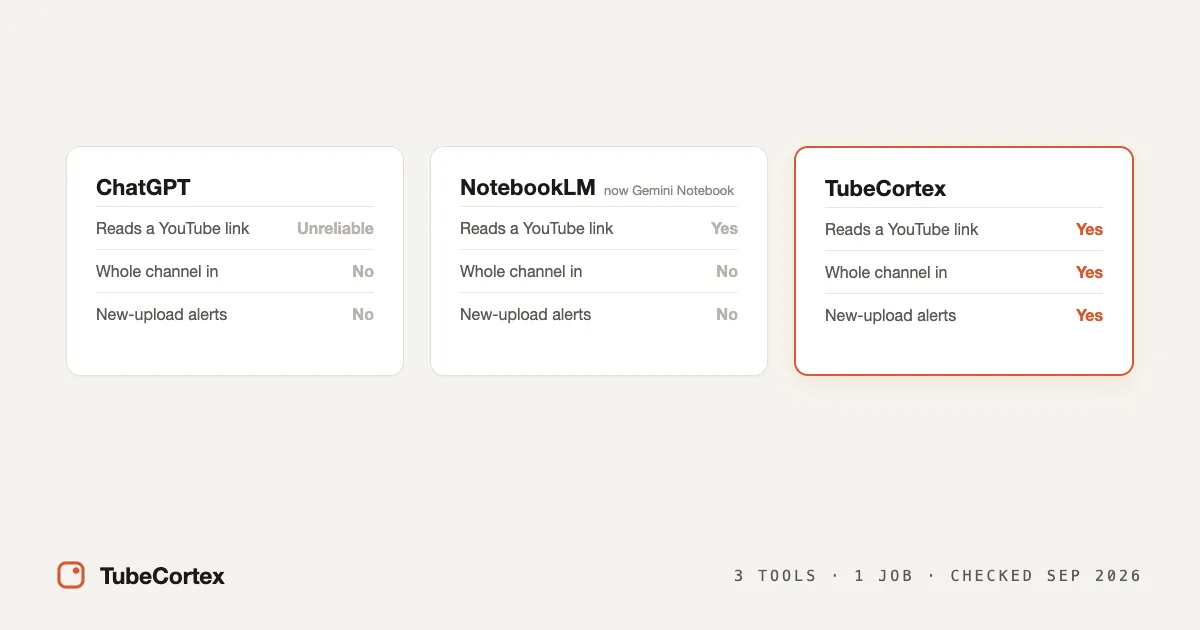
Quick answer, as of September 2026: if you're choosing ChatGPT vs NotebookLM for YouTube research, NotebookLM (now called Gemini Notebook) is the better fit, because it reads the YouTube videos you add and cites them, while ChatGPT has no dependable way to read a video from its link. In our own test that month, free ChatGPT couldn't get to a video's transcript (the words spoken in it, written out) from the link at all. Both are general AI tools, though. If YouTube is your main source and you follow whole channels, there's a third option built for that one job: TubeCortex.
Which tool wins comes down to one question: a single video now, or many videos over time? Someone after the gist of one news clip usually needs the first. Researchers, marketers tracking competitors, and creators mining a back-catalog usually need the second.
Note: This is a first-party comparison. We make TubeCortex, so we've dated what we say about ChatGPT and NotebookLM and flagged which results come from our own test.
At a glance
The ChatGPT and NotebookLM columns were checked in September 2026.
| What you need | ChatGPT | NotebookLM (now Gemini Notebook) | TubeCortex |
|---|---|---|---|
| Read a single YouTube video | Only reliably if you paste in its transcript | Yes, paste its link | Yes |
| Take a whole YouTube channel as input | No, no YouTube input of its own | No, you paste in video links yourself | Yes, paste a channel link |
| Answers grounded in the video itself | Not by default | Yes | Yes |
| Citation that jumps the video to the moment | No | No, in our September 2026 test | Yes, source plus timestamp |
| Compare multiple channels in one answer | No | Not designed for it | Yes |
| Alerts on new uploads | No built-in YouTube alerts | No | Yes, a Telegram ping you switch on per channel |
| Price to start | Free tier plus paid plans | Free tier; paid Google AI plans raise its limits | Free to start: 2,500 credits, dozens of summaries; credit top-ups available |
ChatGPT vs NotebookLM: the verdict on each
ChatGPT is a brilliant generalist with no YouTube feature of its own. In September 2026 we handed free ChatGPT a YouTube link and asked for a summary, and it told us it couldn't reach the video's transcript. That's one test on one day, so call a link unreliable rather than useless. The dependable way is to open YouTube's transcript panel, copy the text, and paste it in yourself, and even then it reads the words, not the picture (Ekamoira's methods comparison, checked September 2026).
NotebookLM, which Google renamed Gemini Notebook in July 2026, is the better of the two for YouTube. It has a free tier, takes YouTube links, reads the transcript, and answers from the sources you add, with clickable citations. But it's built around notebooks with per-plan source caps rather than keeping up with a channel, and it only imports public videos that already have captions (Google's Gemini Notebook help, checked September 2026).
TubeCortex is the third option, and the only one of the three made just for YouTube. It turns YouTube channels into a brain you can question, like a search engine that only searches the videos you gave it. See what a YouTube brain is.
Where TubeCortex differs from both
It takes a whole channel in one go. Paste a channel link, pick the videos you want in the brain, and TubeCortex reads each one's captions so you can question the whole back-catalog. NotebookLM has no built-in way to add a whole channel. You paste in video links yourself (several at once is fine: two links pasted together both imported in our September 2026 test), it only imports public videos that have captions, and a video posted in the last 72 hours may not import yet (Google's Gemini Notebook help, checked September 2026). Each notebook also caps its sources at 50 on the free plan and up to 600 on the priciest tier (Google's plans page, checked September 2026), so a channel with hundreds of videos can hit the ceiling. Here's how to build a brain from a channel, and for the full NotebookLM side of the story, see TubeCortex vs NotebookLM.
Both NotebookLM and TubeCortex answer from the videos themselves, like a friend who can point to where they heard something instead of guessing from memory. The difference is where a citation takes you. A TubeCortex citation jumps the video to the exact moment. In our test in September 2026, clicking a NotebookLM citation on a YouTube source didn't move the video to that moment. (How-To Geek reported a jump in its own test that month, so it may depend on your account or on which screen you click from. Click one yourself before you decide.) ChatGPT can't give you a citation that jumps to a moment, because a pasted transcript has no link back to the video.
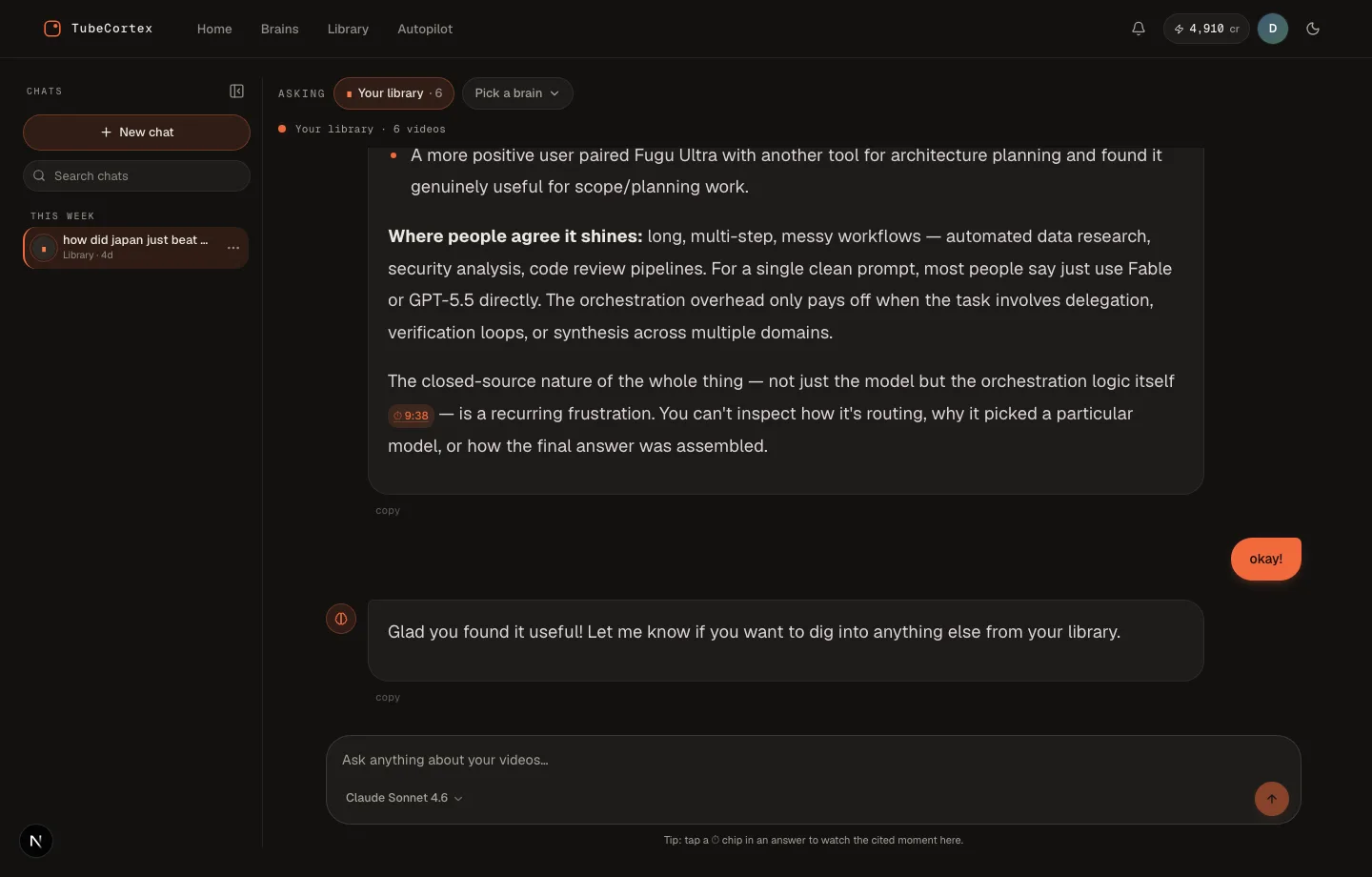 This answer searched all five videos in the brain. Click any timestamp to jump the video to the moment it came from.
It watches uploads and compares channels. When Autopilot summarizes a new upload from a channel you follow, TubeCortex can ping you on Telegram with the title, channel name, and a link to the summary, not the summary text itself. You switch those alerts on per channel, on the Autopilot page. As of September 2026, neither rival watches a YouTube channel for new uploads on its own. (Google's Workspace Studio can now add sources to a Gemini Notebook as part of an automated flow, but only on work and school accounts, and you build that flow yourself.) Compare asks across several channel brains at once and labels each source, like putting five creators in one room and asking one question. A channel brain is one channel, so build one each and Compare across them.
Which one fits your actual job?
The table above is the facts; here's the same thing as advice.
One video, right now, no account anywhere? Paste its transcript into ChatGPT. It's genuinely good at condensing text you hand it, and if the transcript is already on your clipboard, nothing beats it for speed.
A research project with mixed sources, PDFs and docs plus a few videos? NotebookLM. Mixed-source notebooks are its home turf, and its citations back to the added sources are solid. Just budget for pasting in YouTube links yourself, since there's no whole-channel import, and check that your videos are public with captions.
YouTube as the main source, more than a handful of videos, or a channel you'll keep coming back to? TubeCortex. Channel-scale input, timestamp citations, Compare across channels, and new-upload alerts are the whole reason it exists. Want to try it without spending credits on chat? Here's how TubeCortex Free works.
Try the comparison yourself in ten minutes
Don't take a vendor's table on faith, ours included. This test settles it for your own use case:
- Pick one YouTube channel you actually learn from and one question you really want answered from it.
- Ask ChatGPT. Try the link first if you like, then notice the transcript step: you'll probably need to open a video, copy its transcript, and paste it in, once per video.
- Ask NotebookLM. Paste two or three of the channel's video links as sources, ask, then click a citation and see where it takes you.
- Ask TubeCortex. Build a brain from the channel (pick the videos once), ask the same question, and click the timestamp in the answer.
The tool that gets you a verifiable answer with the least ceremony is your answer. For one video the three feel surprisingly close. The gap opens as the video count grows, and again next week, when the channel posts something new and only one of the three can notice on its own.
Want to run step 4? New accounts get 2,500 free credits (dozens of full-length summaries), no card needed. Get started for free
Frequently asked questions
Can ChatGPT summarize a YouTube video from a link?
ChatGPT can't reliably summarize a YouTube video from its link, as of September 2026. When we gave free ChatGPT a video link that month, it said it couldn't get to the video's transcript. The dependable way is to copy the transcript from YouTube's own transcript panel and paste it in, and it reads the words, not the visuals (Ekamoira's methods comparison, checked September 2026).
Does NotebookLM work with YouTube videos?
Yes, NotebookLM (now called Gemini Notebook) adds public YouTube videos as sources and cites them. You can paste several links at once. It works from the caption text only, and a video without captions, or one posted in the last 72 hours, may not import (Google's Gemini Notebook help, checked September 2026).
Which is best for tracking competitor YouTube channels?
TubeCortex is the best fit of the three for tracking competitor YouTube channels. It's the only one that takes a whole channel as input and compares several channels at once, and it can ping you on Telegram when it summarizes a new upload from a channel you follow.
Is any of them free?
All three have a free way in, as of September 2026. NotebookLM (now Gemini Notebook) has a free tier, and paid Google AI plans raise its per-notebook source caps (Google's plans page, checked September 2026). ChatGPT has a free tier with paid upgrades. TubeCortex gives 2,500 free credits, dozens of full-length summaries, no card needed, with credit top-ups if you want more. TubeCortex Free, the built-in free tier, also keeps manual summaries and brain chat working when the credits are gone.
Honest limits and the fine print
Note: TubeCortex reads a video's captions or transcript, never its audio. A video with no captions available gives it nothing to read, even if someone is talking in it, so it can't answer from that video.
TubeCortex answers from the videos in your brain, not all of YouTube, and it can miss what's shown on screen but never said. Our tests of ChatGPT and NotebookLM were single runs on one day, and both tools change often, so re-check them yourself before deciding.