24 Aug 2026 · Updated 20 Sep 2026 · TubeCortex
TubeCortex vs NotebookLM: Why YouTube Needs More Than a Notebook
TubeCortex vs NotebookLM (now Gemini Notebook) for YouTube: automatic channel tracking and room for a whole back catalog, fairly compared.
TubeCortex is a NotebookLM alternative for YouTube that keeps itself current: add a channel to Autopilot once and it catches new uploads, writes their summaries, and answers your questions with each point from your videos linked to the exact second it was said. NotebookLM (Google renamed it Gemini Notebook in July 2026) can read a video you paste in, but that's where it stops. It won't notice when a channel posts something new. If you follow more channels than you have time to watch, that difference is the whole comparison. The rest of this page walks through where the two tools genuinely differ, with every NotebookLM claim dated and checked.
At a glance
| What it does | TubeCortex watches YouTube channels on its own and answers questions from what was actually said, with the source and timestamp |
| Best for | Solopreneurs and side-hustlers following a stack of channels solo (works just as well for marketers and agencies tracking several channels at once) |
| What you give it | A YouTube channel or video link |
| What you get back | TubeCortex returns auto-summaries, a grounded chat with citations, multi-channel compare, and an optional Telegram ping when a new video's summary is ready |
| Free to start | TubeCortex gives 2,500 free credits, no card required, dozens of full-length video summaries. Sign up free |
How TubeCortex watches a channel (so you don't have to)
- Add the channel to Autopilot, once. Paste its link or search for it on the Autopilot
page. No repeat visits to re-add sources every time something new gets posted.
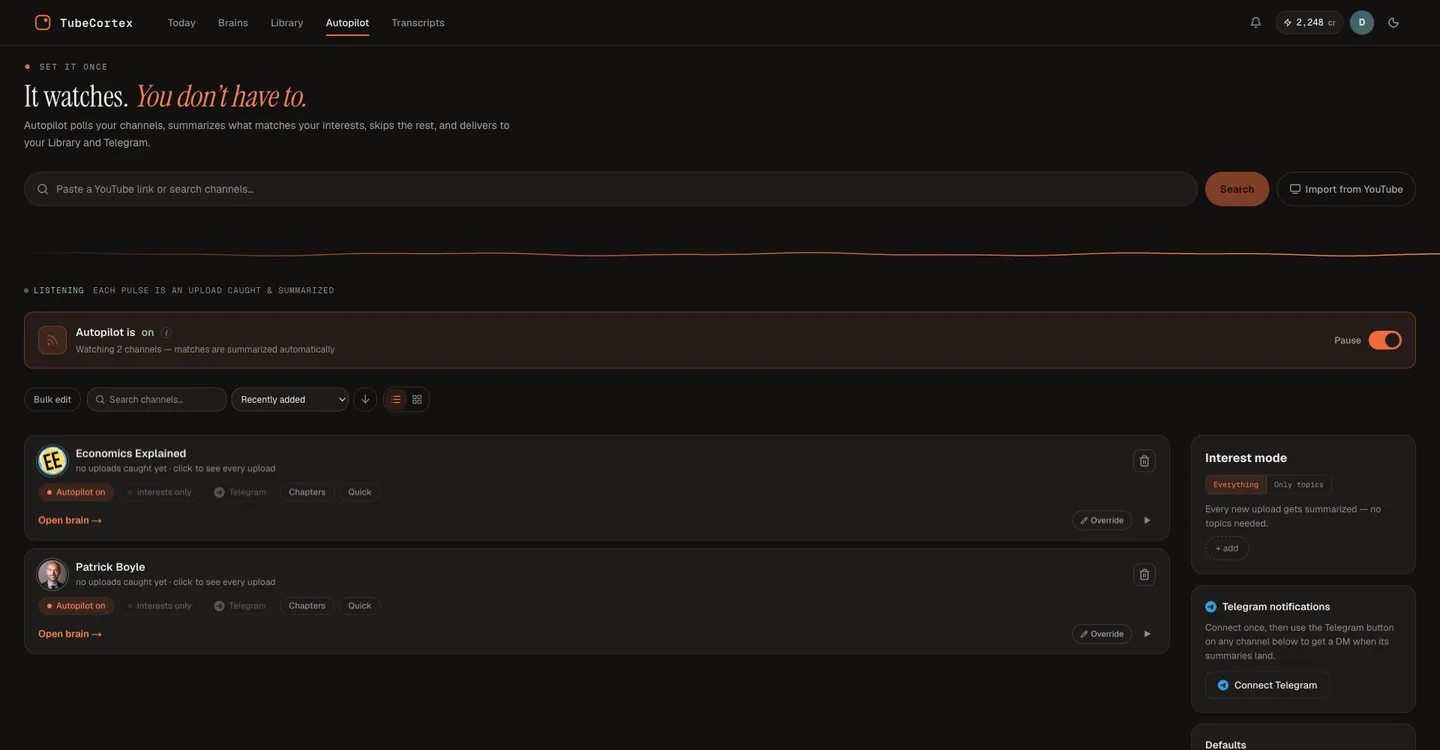
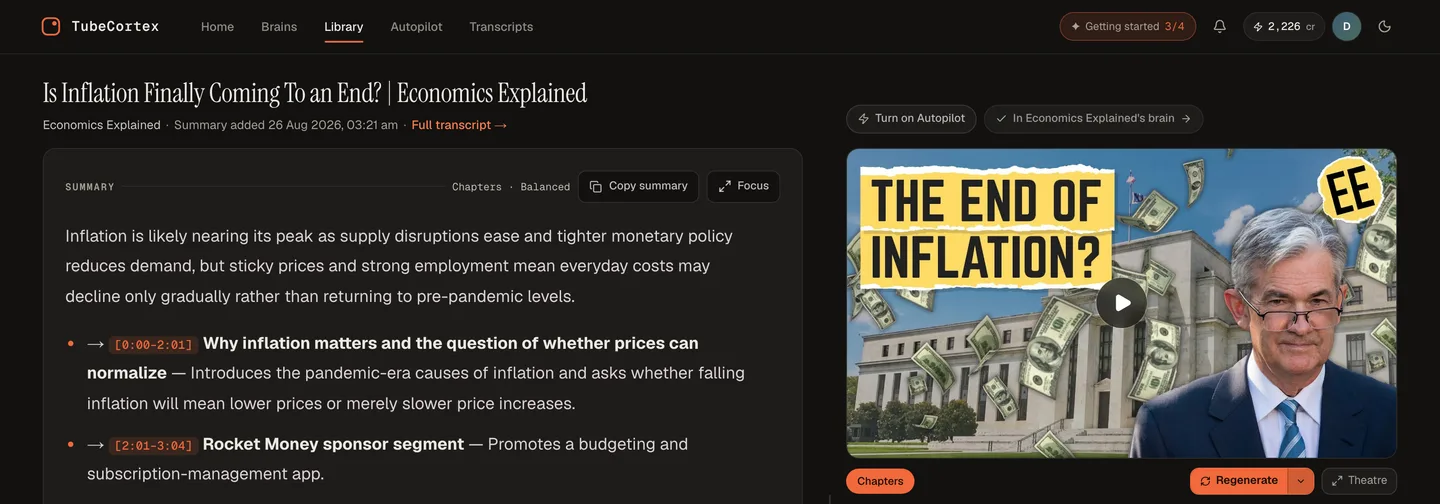
- It reads new uploads on its own. When a new video goes live, TubeCortex catches it and writes a summary, without you reopening anything. Each automatic summary uses credits, and it skips some uploads, like videos under 3 minutes or without captions.
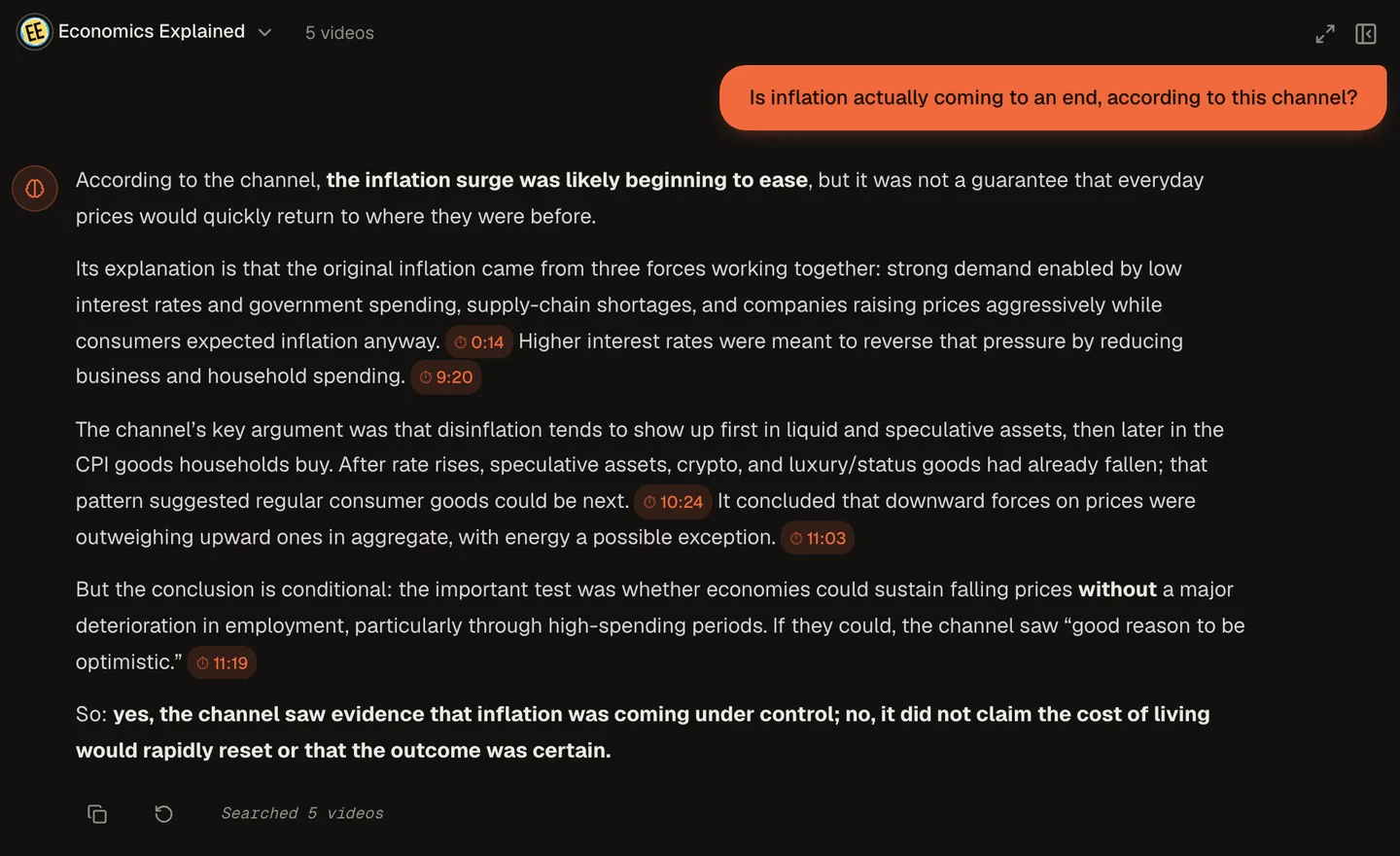
- Ask a question, get a timestamped answer. Type what you want to know, and each point
taken from a video links straight back to the moment it came from.
- (Optional) Get a Telegram ping when a new video's summary is ready. A heads-up message with the
video's title and a link, not the summary itself; you tap through to read it.

That's the whole loop, and it keeps running after you've forgotten you set it up.
How TubeCortex actually works (and where NotebookLM stops short)
Where the answers come from
Both tools ground answers in what was actually said, not a guess. That part NotebookLM gets right, and TubeCortex works the same way: its answers come from the words spoken in your videos. Points taken from them come with a timestamp, and when your videos don't cover a question, TubeCortex says so and labels anything it adds from general knowledge.
Timestamps you can click into
When a TubeCortex answer draws on a moment in a video, its citation carries that timestamp. Click one and you land on the exact moment, the same way a good footnote drops you straight onto the right page instead of "somewhere in chapter 4."
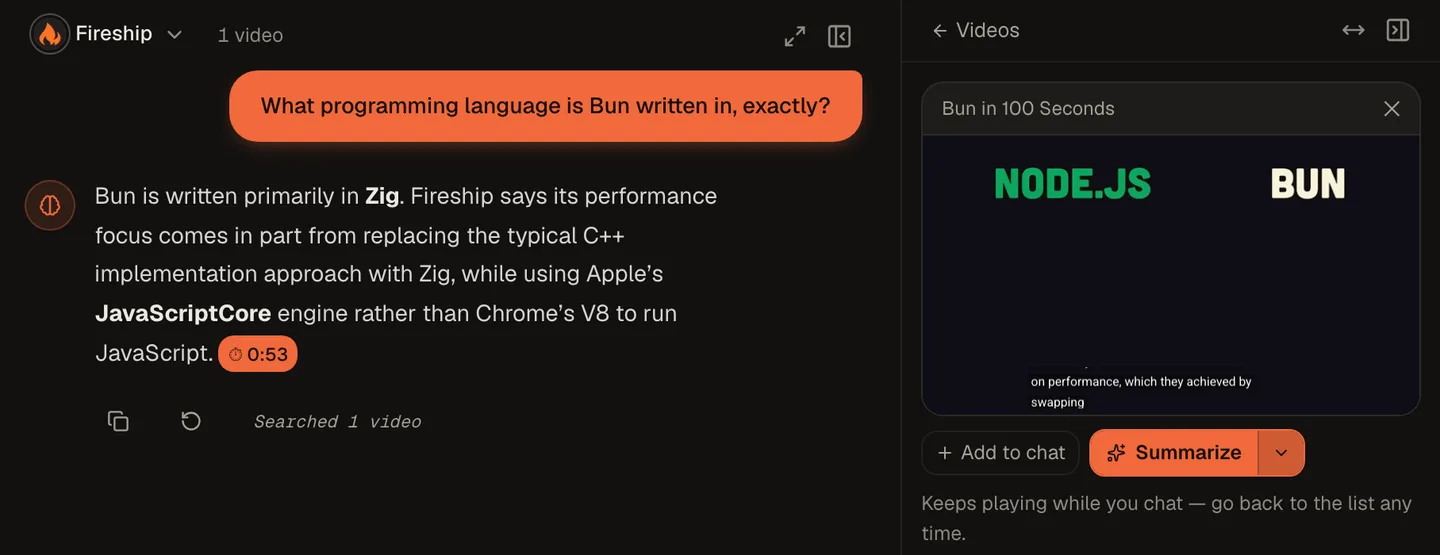
NotebookLM may be catching up here. How-To Geek reported in September 2026 that clicking a NotebookLM citation opens a YouTube player at the moment the words were said. When we tried it ourselves the same month, the video didn't move. So check it on your own account before you count on it either way. The bigger difference hasn't changed: NotebookLM only knows about the videos you remembered to add.
How comparing multiple channels works
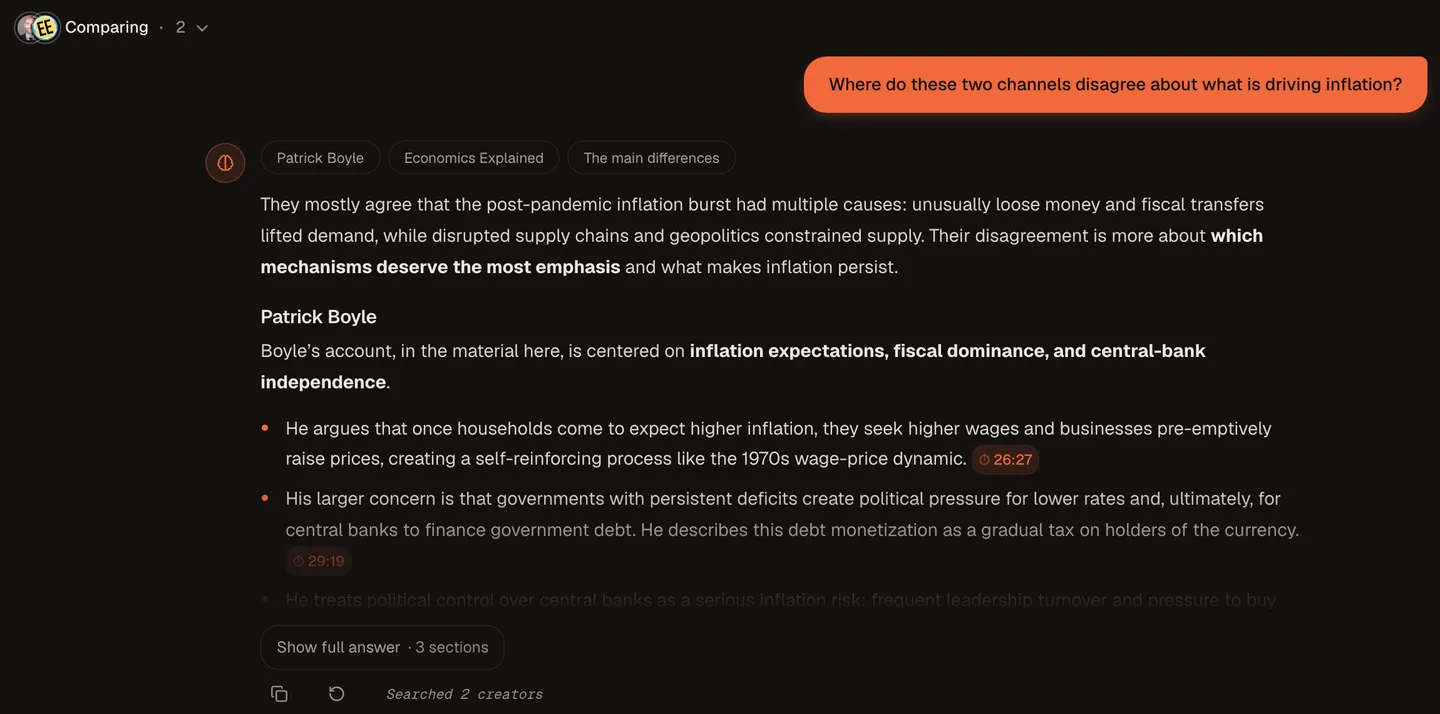
Give each channel its own TubeCortex brain, then compare up to five of them in one question, and you get a single answer that says who covered what, each claim still pointing back to its own channel and moment. NotebookLM can also hold many sources in one notebook, but it caps them by plan: 50 sources on the free tier, 100 on Plus, 300 on Pro, and 500 to 600 on Ultra by storage tier (as of September 2026, per NotebookLM's own published limits). Whatever the cap, NotebookLM treats every source as one flat pile, not as channels you can watch separately or compare side by side. A channel with a few hundred videos can hit that ceiling even on a paid tier. TubeCortex isn't notebook-shaped: a channel brain is built for a channel's back catalog, so a few hundred videos from one creator fit comfortably.
What this looks like in practice
Say you're running a one-person business and you follow ten YouTube channels to stay sharp: a few in your niche, a couple on marketing, one or two people whose takes you just trust. Watching all of that live is close to eight hours a week, and most weeks you don't have eight hours, so you fall behind and stay behind. With NotebookLM, staying current means remembering to reopen the notebook and re-add whatever's new, which is exactly the chore you were trying to avoid. With TubeCortex, you add those ten channels to Autopilot once. New uploads get caught and summarized automatically (each summary uses credits), and when you want to know what someone said about a topic, you ask the brain instead of scrubbing through videos you haven't gotten to yet. One question, one cited answer, in about the time it took to read this paragraph.
Who this is for
This comparison is written for solopreneurs and side-hustlers following more channels than they can actually watch, where catching up (not falling behind in the first place) is the real cost. (If you're a marketer or agency tracking client or competitor channels instead of your own personal stack, the same automation applies just as well.)
What TubeCortex can't do (yet)
Note: TubeCortex needs a video to have available captions or a transcript to work from. A video with neither has nothing for it to read, the same limitation NotebookLM has with video sources.
It also only searches videos you've added to TubeCortex, in a brain or in your library, not all of YouTube at once. That's by design: a smaller, trusted set of channels you've chosen is what makes the answers worth trusting in the first place.
A note on this comparison: this is a first-party TubeCortex comparison, not an independent review. NotebookLM is a genuinely strong tool for multi-source research that mixes documents, PDFs, and video, and we're not claiming otherwise. The gaps described above (no automatic channel tracking, hard source caps) are verified, dated facts, not a knock on the product as a whole. Where this comes down to fit rather than a clear-cut gap, that's noted as such.
Frequently asked questions
Is TubeCortex a good NotebookLM alternative for YouTube?
If what you actually want is something that keeps watching a channel after you set it up, yes. NotebookLM is built for pulling multiple source types into one research notebook; TubeCortex is built specifically around YouTube channels staying current on their own.
Does NotebookLM track a YouTube channel automatically?
No, NotebookLM doesn't detect or import new uploads from a channel by itself; you add new videos yourself (as of September 2026). Work and school Google accounts can build their own automated steps in Google Workspace Studio that add YouTube links to a notebook, but nothing in NotebookLM watches a channel for new uploads. TubeCortex catches new uploads on its own once you've added the channel to Autopilot.
Can NotebookLM jump to a timestamp in a video?
Reports differ as of September 2026. How-To Geek says clicking a NotebookLM citation opens a YouTube player at the exact moment, but when we tested it ourselves that month, the video didn't jump. When a TubeCortex answer quotes a moment from a video, the citation carries a timestamp, so clicking it takes you to that moment.
Is there a limit on how many sources NotebookLM can hold?
Yes, NotebookLM caps sources per notebook by plan: 50 on the free tier, 100 on Plus, 300 on Pro, and 500 to 600 on Ultra (as of September 2026, per NotebookLM's own published limits). A channel with a large back catalog can hit that ceiling. TubeCortex is built around channels rather than fixed-size notebooks, so a few hundred videos from one channel isn't a problem.
How do I find out about a new video without checking back myself?
Connect Telegram on the Autopilot page and turn on alerts for that channel. When a new video's summary is ready, you get a message with its title, the channel name, and a link to read it, so you don't have to remember to go look.
Is there a free plan?
You can build your first brain without paying. You get 2,500 free credits, no card required, dozens of full-length video summaries. And the free plan isn't just a trial: manual summaries and brain chat keep working on TubeCortex Free, the built-in free tier, even after those credits run out. The premium tiers and Autopilot stop until you top up, and building a brain needs credits for any video you haven't already summarized. Sign up free
The short version
NotebookLM is a solid notebook: paste sources in, ask questions, get answers. The catch is that it stays exactly as current as the last time you fed it. TubeCortex is built to keep itself current on its own, once a channel is on Autopilot. If you're already stretched thin running things solo and the channels you follow keep piling up unwatched, build your first brain free and point it at a channel.