7 Sep 2026 · TubeCortex
YouTube Playlist to Study Notes (Searchable and Cited)
Turn a YouTube course or playlist into searchable study notes you can ask questions about, with answers tied back to the exact video moment.
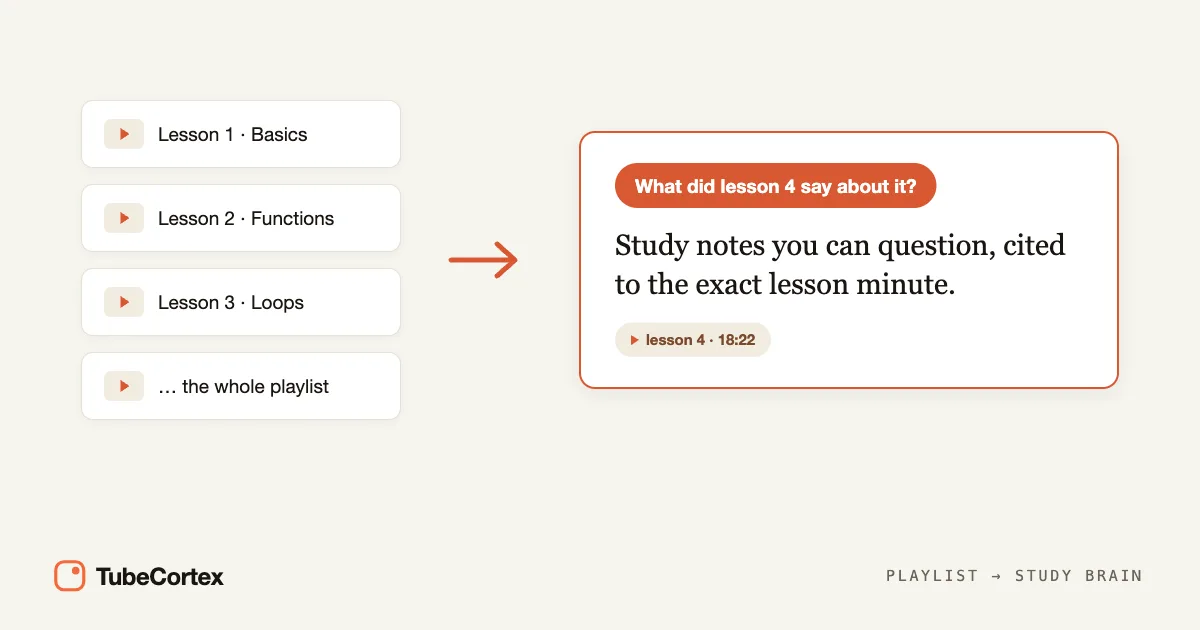
If your class, bootcamp, or self-study plan lives in a YouTube playlist, you do not need to pause every few minutes and type notes by hand. A youtube playlist to study notes workflow in TubeCortex turns the videos in a course playlist into a searchable study brain, so you can ask "what did lesson 4 say about gradient descent?" and get an answer tied back to the exact video moment.
TubeCortex is like a study notebook that watched the course with you. You give it the playlist, it pulls out what each video covers, and then you can search the whole course by asking normal questions.
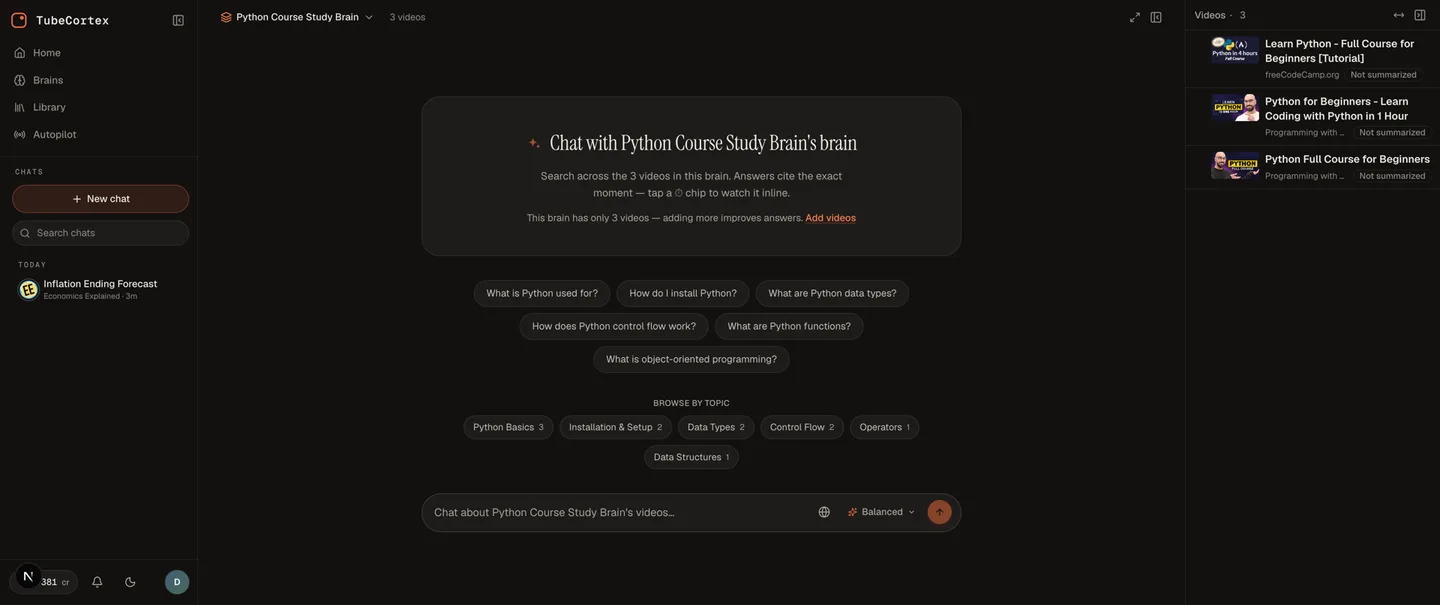
A TubeCortex study brain built from a course playlist, ready to answer questions about any lesson.
Setup at a glance
| Step | What you do | Time |
|---|---|---|
| 1 | Paste the true YouTube playlist link into a custom brain | Varies by playlist |
| 2 | Let TubeCortex add the playlist videos and summarize them | Varies by playlist length |
| 3 | Ask study questions across the course | About the time it takes to type the question |
| 4 | Save answers as your review notes | Your choice |
| Best for | Students, self-taught developers, exam prep, and researchers |
| What you give it | A true YouTube playlist link, or individual course video links |
| What you get back | A custom brain with summaries, searchable answers, and timestamped citations |
| Why it beats plain notes | You can ask follow-up questions instead of scanning a long document |
| Free to start | 2,500 free credits (dozens of full-length summaries), no card needed. Get started for free |
How to turn a YouTube playlist into study notes
This is the student version of a custom brain. Think of it as one binder for one course. Each video becomes a section in the binder, and TubeCortex can point you back to the exact place where an answer came from.
1. Copy the real playlist link
Open the playlist page on YouTube and copy the link that looks like youtube.com/playlist?list=.... A regular video link that happens to include a playlist value is treated as that one video, not the whole playlist.
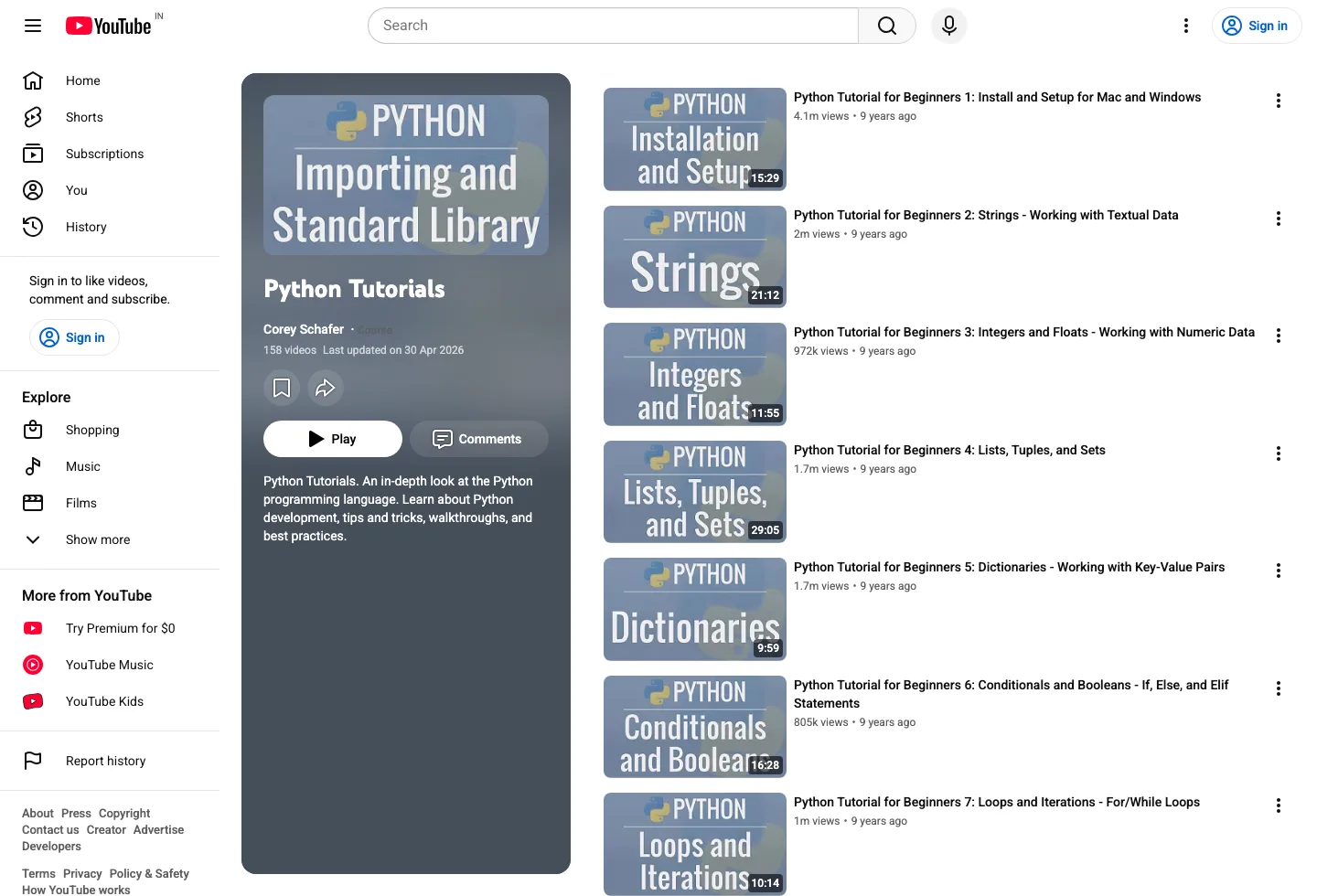
Example playlist page: copy the true playlist URL when you want the whole course, not just one video.
Note: The playlist must be public or unlisted for TubeCortex to read it. A private playlist, which is YouTube's default when you save videos into a new playlist, can't be read from outside your YouTube account. You can change this on the playlist page with the visibility dropdown.
If your course is not packaged as a playlist, paste the individual video links instead. That works too. It just takes a little more copying.
2. Create a custom brain in TubeCortex
In TubeCortex, open the brain builder and choose the links option. Paste the playlist link into the box that accepts videos or a whole playlist, then let TubeCortex check the link.
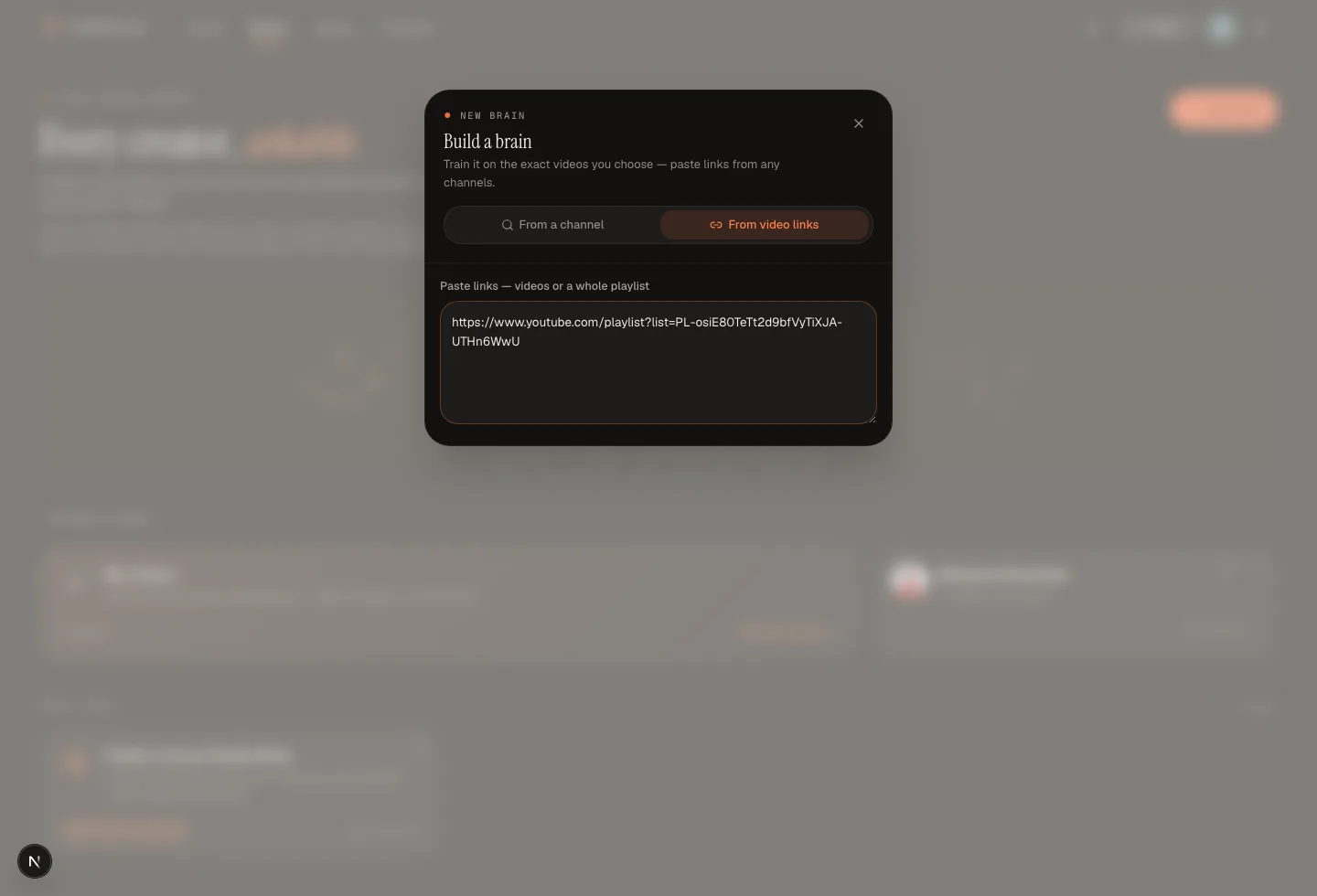
TubeCortex accepts a playlist link in the From video links tab and treats it as a whole-playlist source.
TubeCortex adds the playlist videos to a custom brain. A very long playlist can hit the current product limit; if yours does, split the course into a study brain per module.
3. Let TubeCortex summarize what each lesson covers
Once the videos are in the brain, TubeCortex goes through what is said in them and creates summaries. You are not trying to replace learning. You are building a map so you can find the right lesson faster.
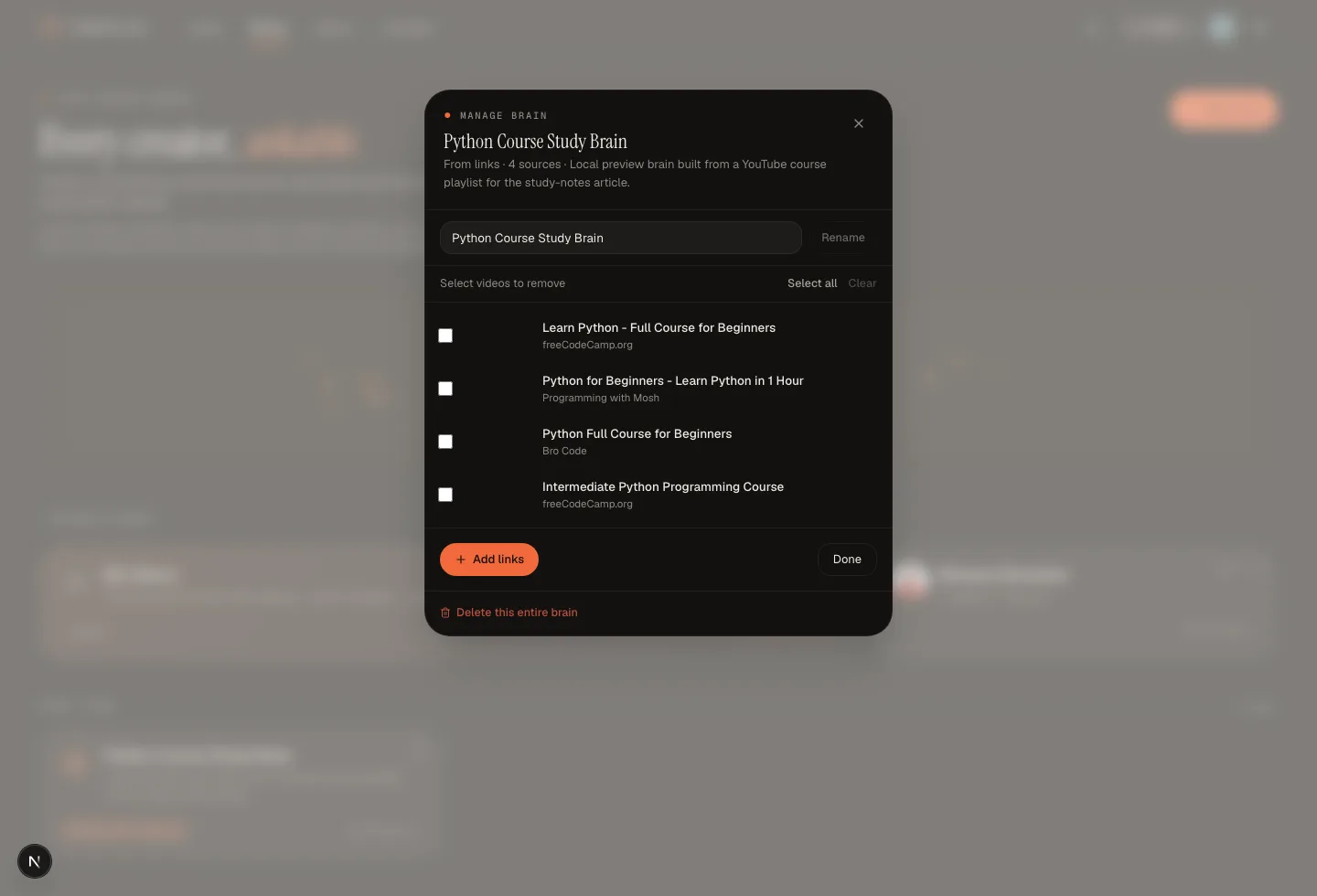
The study brain's source list shows every course video the brain can answer from.
This is the part that saves the boring work. You can spend your attention on the hard ideas instead of formatting notes.
4. Ask questions like you would ask a tutor
Now ask the brain a study question in plain English. Good questions look like this:
| Study question | Why it works |
|---|---|
| "Explain the chain rule like I am new to calculus." | It asks for a simpler explanation |
| "Which lesson covers backpropagation?" | It finds the right part of the course |
| "Make a quiz from the first three lessons." | It turns watching into active recall |
| "What mistakes did the instructor warn about?" | It pulls out details you might miss |
Step 4 is the one most students will actually use. The summaries are useful, sure. But the real win is asking the course a question at 11:30 p.m. without hunting through ten tabs.
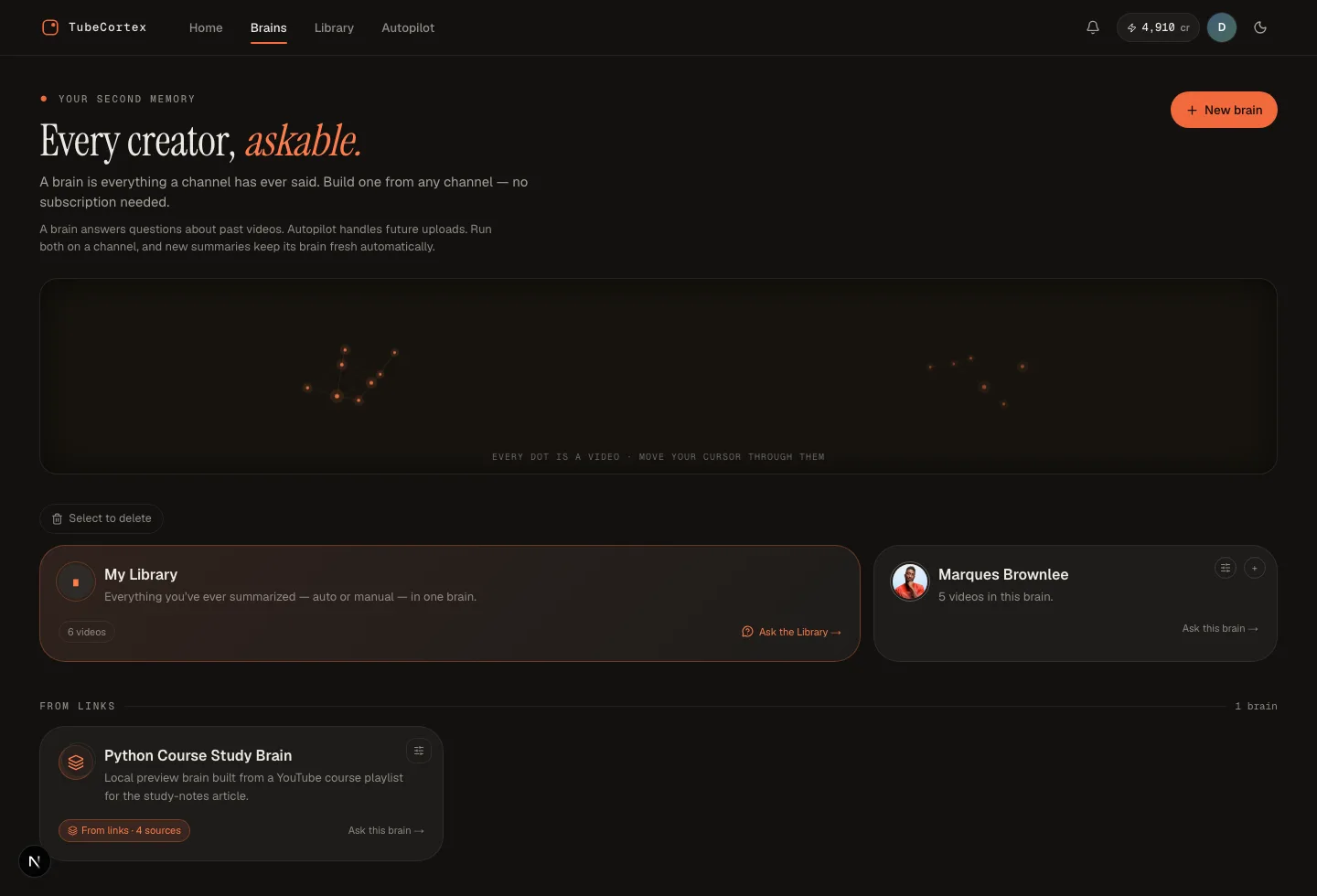
The Brains page shows the custom study brain as a from-links brain with four course sources.
How TubeCortex study notes actually work
TubeCortex does three simple jobs for a study playlist: it gathers the course videos, it writes summaries from what each video says, and it answers questions with citations. No magic wand language needed.
Where the answers come from
Imagine asking a classmate who really watched the lecture and can say, "go to minute 18, that is where the instructor explains it." That is the idea. TubeCortex answers from the information in the videos you added, not from a loose guess about the topic.
That matters for studying. A generic answer might sound polished and still be wrong for your course. TubeCortex keeps the answer tied to the course material you actually need to review.
Why citations matter for studying
A citation is a little trail back to the source. In TubeCortex, answers include the video and timestamp, so you can jump back and check the moment yourself.
For exams, that is the difference between "I think this is right" and "I can check where the instructor said it." Small thing. Huge relief.
How this becomes searchable notes
Plain notes are static. You write them once, then search only the words you happened to type. A TubeCortex brain is more like asking your notes a question. If the answer sits inside lesson 2 but you forgot the exact phrase, you can still ask in your own words.
That is why this workflow is better for a whole playlist than a one-video summary. Courses are connected. Lesson 7 often depends on lesson 2. A searchable brain lets you move across the course without rewatching from the start.
What this looks like in practice
Say you are learning Python from a 24-video YouTube course. Each video is 20 minutes. That is about 8 hours of watching before you even start reviewing.
With TubeCortex, you make one custom brain from the course playlist. Then you ask:
"Make me a study guide for functions, loops, and file handling. Include the video moments I should review."
A good answer should become a study guide you can use right away:
| Topic | What to review | Where to verify |
|---|---|---|
| Functions | Definition, parameters, return values | Cited lesson moment to verify in the source video |
| Loops | for loops, while loops, common mistakes |
Cited lesson moment to verify in the source video |
| File handling | Opening, reading, writing, closing files | Cited lesson moment to verify in the source video |
You still need to learn the material. TubeCortex does not take the exam for you, which is rude but fair. It does give you a study map, a search box, and a way to verify each answer before you trust it.
A student workflow you can reuse
Use this loop after each lecture block:
- Ask TubeCortex for a short lesson summary.
- Ask for the 5 ideas most likely to show up on a quiz.
- Ask it to make practice questions.
- Answer the questions yourself.
- Check the cited moments for anything you missed.
That last step is where the learning happens. The answer gets you moving, but the cited moment lets you confirm the point in the course.
Other people can use the same product in different ways. Creators can research their own videos. Marketers can compare what several channels say about a topic. Solo builders can follow learning channels without losing a weekend. This page is for students, though: one course playlist, one study brain, one place to ask questions.
What TubeCortex can and cannot do
Note: TubeCortex needs a video with captions or a transcript available. A video without them, like most silent or music-only clips, gives it nothing to go on.
Note: TubeCortex can help you review and verify course material, but it should not replace your own judgment. For homework, exams, or research papers, check the cited video moment before you use an answer.
Note: A custom brain can be built from specific videos, including videos expanded from a true YouTube playlist link. A channel brain is different: it is built from one channel. To compare several channel brains, use Compare.
FAQ
Can I turn a YouTube playlist into study notes?
Yes, TubeCortex can turn a true YouTube playlist link into a custom study brain you can summarize, search, and ask questions about. Paste the playlist link into the custom brain links box, let TubeCortex add the videos, then use the chat to create review notes, quizzes, and topic guides.
Is this the same as a normal YouTube summary?
No, a playlist study brain is more useful than a single summary because you can ask follow-up questions across the course. A normal summary is like one page of notes. TubeCortex is closer to a searchable course binder.
Are the answers made up?
No, TubeCortex answers from what is actually said in the videos and includes a timestamped citation. You can use the citation to jump back, check the instructor's explanation, and decide whether the answer belongs in your notes.
Do I still need to watch the videos?
Yes, you should still watch the important parts, especially when you are learning something new. TubeCortex helps you find, review, and test the material faster, but active learning still comes from checking the source, solving problems, and explaining the idea yourself.
Can I use this for a long course?
Yes, but very large playlists may hit the current custom-brain video limit. If that happens, split the course into smaller study brains by module.
Can TubeCortex make flashcards or quizzes from a playlist?
TubeCortex can answer study prompts such as "make practice questions from these lessons" or "turn this section into review cards." When you use this workflow, check the cited answer before turning it into final study material.
What if my course has videos from different channels?
Use a custom brain for specific videos from different channels, or paste a true playlist link if the course is packaged as a playlist. Do not describe that as a channel brain. A channel brain is for one channel.
Recap
If a course playlist is your textbook, TubeCortex can turn it into a study brain you can search by asking questions. You get summaries, cited answers, and a faster way to find the lesson moments that matter.
Start your first study brain in TubeCortex