12 Sep 2026 · Updated 20 Sep 2026 · TubeCortex
How to Use TubeCortex for Free (Save Credits for What Matters)
TubeCortex Free summarizes YouTube videos and answers questions without spending credits. See where it works, what still costs credits, and when to pay.
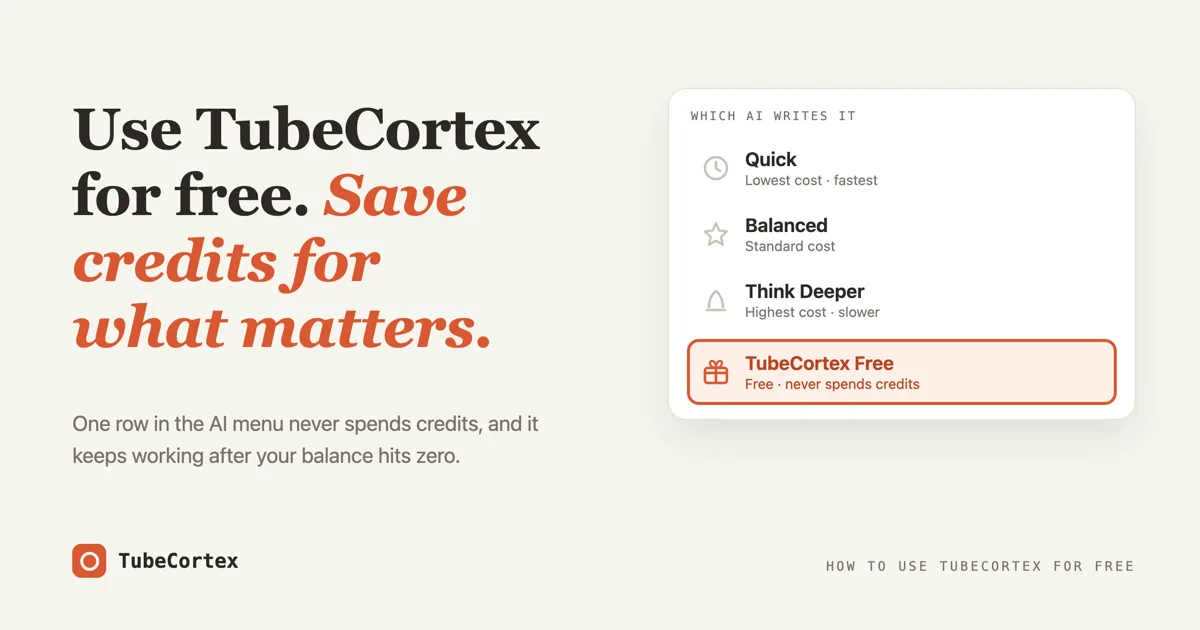
You can use TubeCortex for free, and it's not a trial with a clock on it. TubeCortex Free is a built-in summary and chat option that costs nothing, never spends credits, and keeps working even after your signup credits are gone. You pick it from the same menu where you'd pick a paid tier. The AI that writes your summaries and answers runs on TubeCortex's own servers rather than a paid outside AI service. This guide shows you where the free option lives, when it's the smart pick, and the few places where spending credits is genuinely worth it.
At a glance
| Aspect | Detail |
|---|---|
| What it is | TubeCortex Free, a no-cost option for video summaries and questions |
| Best for | Everyday catch-up: routine summaries and quick questions |
| What it costs | Nothing. It never spends credits, and no card is involved |
| Where you pick it | The AI menu, the same place you pick Quick, Balanced, or Think Deeper |
| When to pay instead | The videos that really matter: switch to Balanced or Think Deeper for those |
| Free to start | Create a free account and it's already in the menu |
How to run your first free summary in 4 steps
Step 1: Paste a YouTube link on the home page
Open TubeCortex and drop any YouTube link into the box that says "Paste a YouTube link". Any video works as long as it has captions or a transcript, which is the written copy of what's said in it.
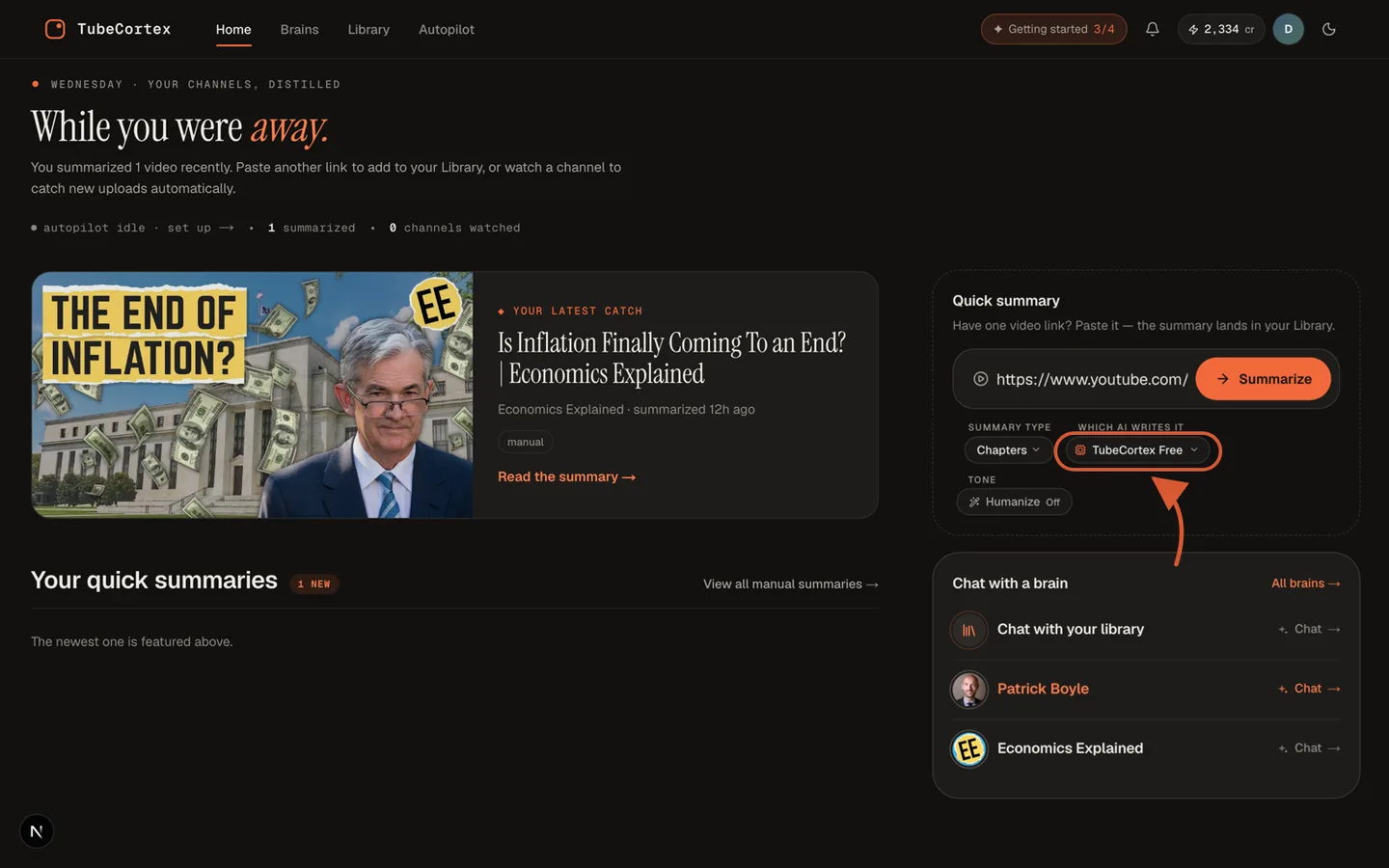 The home page's Quick summary box with a YouTube link pasted in. The choice under "Which AI writes it" reads TubeCortex Free.
Step 2: Open the AI menu and pick TubeCortex Free
Under the paste box sits a small row of choices. The one to open is the AI picker (on a fresh account it wears the label "Which AI writes it"). Inside you'll find the three paid tiers, Quick, Balanced, and Think Deeper, and one row with a gift icon: TubeCortex Free. The line under it says exactly what it does: "Free · never spends credits". Click it.
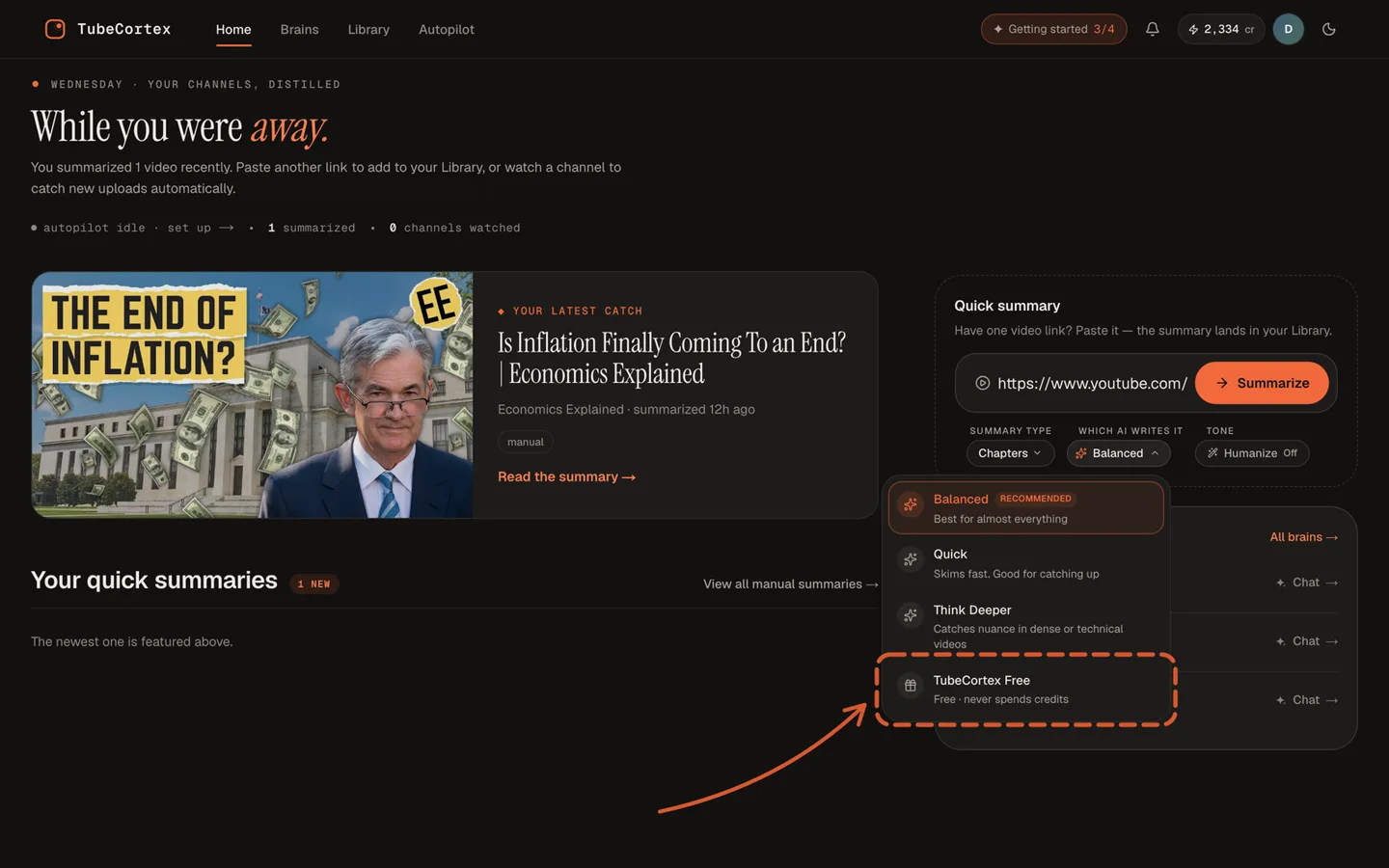 The AI menu open on the home page. The bottom row is TubeCortex Free, and its line reads "Free · never spends credits".
Step 3: Press Summarize video
Hit the "Summarize video" button and wait a moment. The summary arrives the same way a paid one does, in whatever format you chose, and your balance doesn't move. Not by a little. A free summary writes nothing on your bill at all.
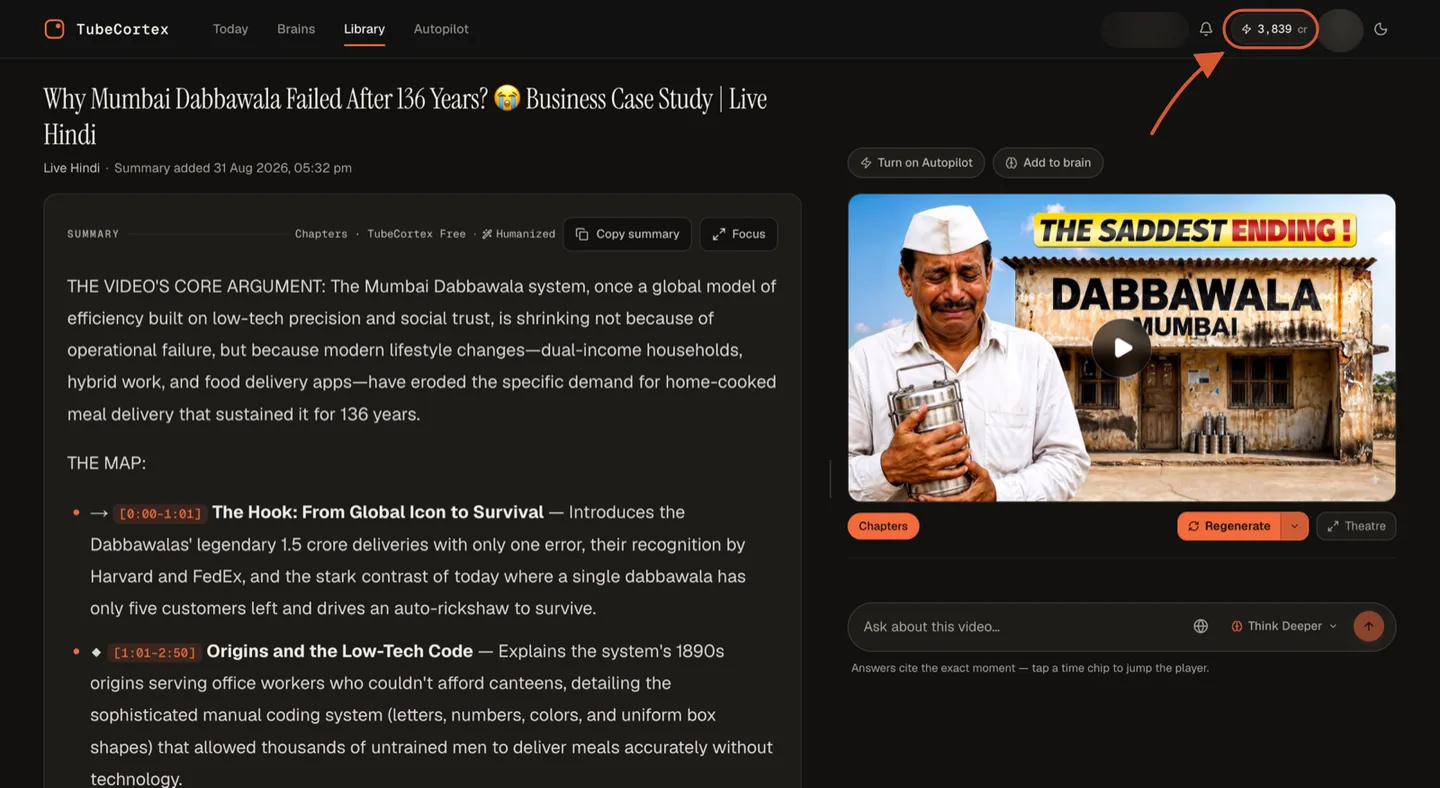 A real summary whose header reads "Chapters · TubeCortex Free". The highlighted balance read 3,839 before this summary and still reads 3,839 after it.
Step 4: Ask your questions free too
Summaries are half the product. The other half is asking. Open the chat on a video, a brain, or your library, and pick TubeCortex Free in the chat's own AI menu as well. Answers still draw on your videos, and points taken from them still carry a clickable timestamp. With TubeCortex Free, the price is the only thing that changes: nothing.
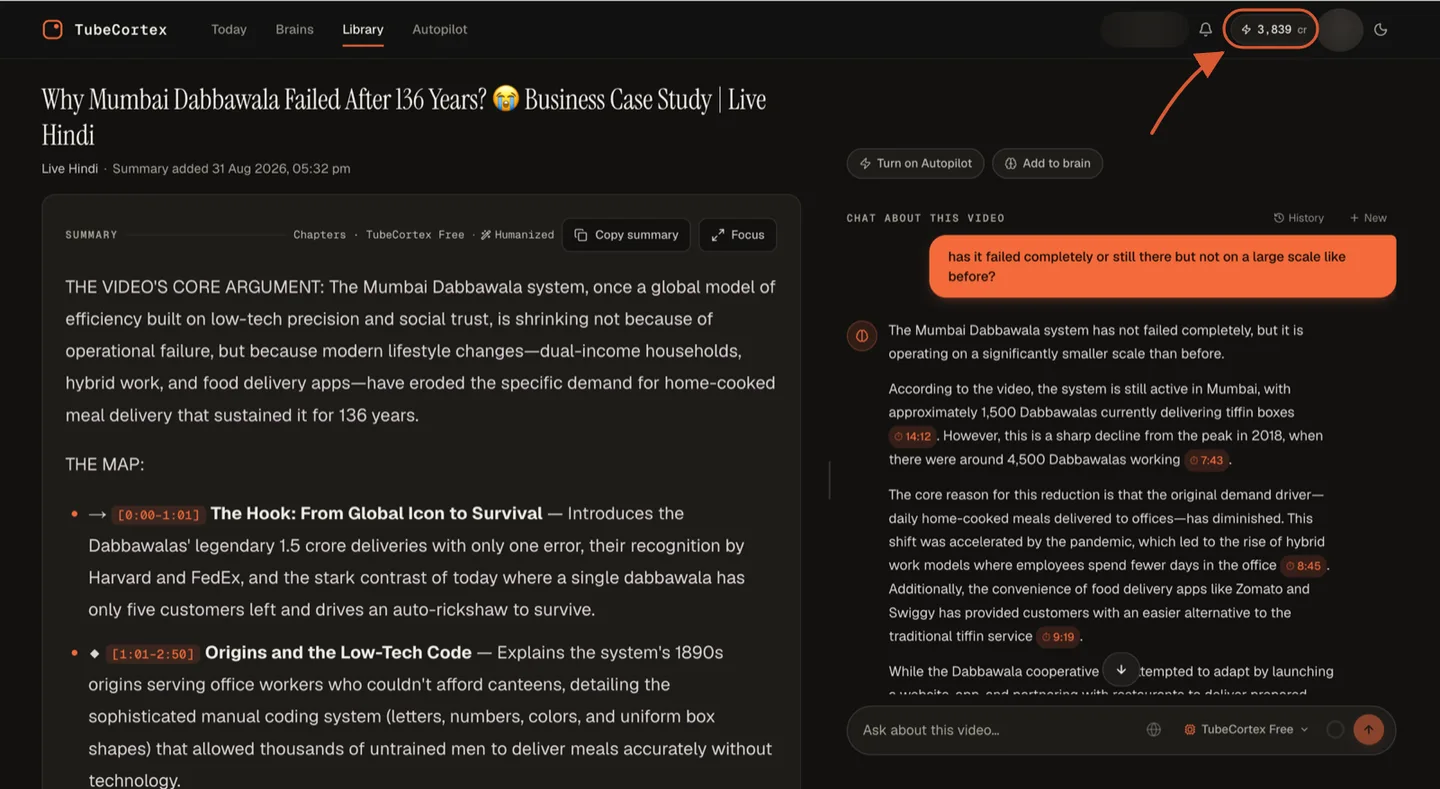 An answer from TubeCortex Free about the video. Each claim carries a time chip, and tapping one jumps the player to that exact moment. The highlighted balance hasn't moved.
That's the whole trick. One menu choice, and TubeCortex runs without touching your credits.
How TubeCortex Free actually works
Free usually hides a catch, so it's fair to wonder why this one exists. Here's the mechanism in three short answers: where it runs, why it costs nothing, and what happens when your credits are gone.
It runs on TubeCortex's own computer
Most AI products rent their intelligence. Every summary is bought, at a price, from a big outside AI company, and that bill gets passed to you as credits or a subscription. TubeCortex's paid tiers work that way too. That's literally what credits pay for.
TubeCortex Free is different: the AI that writes your summaries and answers runs on servers the TubeCortex team owns. Think of a bakery that sells fancy cakes made with ordered ingredients, but hands out the house bread it bakes itself. The cakes cost money because the ingredients did. The bread is baked in-house, so giving it away costs the bakery an oven, not a supplier bill.
Why it never spends credits
Because there's no outside bill for the writing, there's nothing to charge you for. This isn't a discount or a reduced fee. It's no fee. A TubeCortex Free summary or answer leaves your balance exactly where it was.
One detail worth trusting: TubeCortex never quietly moves your free work onto a paid engine. If the free engine is busy or asleep, your job waits for it. A chat might tell you "TubeCortex Free is waking up" and ask for about a minute; a queued summary simply waits its turn. The product would rather make you wait than surprise you with a charge.
What happens when your credits run out
The premium tiers lock, and TubeCortex keeps going. When your balance hits zero, the premium tiers grey out in the AI menu. The first one says you're out of credits and adds the part that matters, that TubeCortex Free stays free; the others just say "Needs credits." Your summaries, your questions, your library: all still there, all still free. Plenty of tools go dark the day the balance empties. This one doesn't, and honestly that's the detail that earned this feature its own guide.
When to use Free, and when to spend credits
The title of this post says save credits for what matters. Here's what that means in practice.
| The task | Pick |
|---|---|
| Catching up on channels you follow | TubeCortex Free |
| Quick "what did they say about X" questions | TubeCortex Free |
| Clearing a backlog of saved videos | TubeCortex Free |
| Trying TubeCortex to see if it's for you | TubeCortex Free |
| A long, dense video you're studying properly | Balanced |
| Research feeding a real decision at work or with money | Think Deeper |
The paid tiers exist because a bigger engine genuinely notices more. Quick is the cheapest and fastest of the three, Think Deeper the priciest and slowest, and that trade is real: more thinking, at more cost. The skill is matching the engine to the job. Mundane job, free engine. Important job, paid engine, and only for that one video.
Two places the free option doesn't reach:
Note: building a brain spends credits even if you use TubeCortex Free for everything else. A brain is a searchable memory built from many videos, and building that memory has a real cost the free engine doesn't cover. Chatting with a finished brain on TubeCortex Free, though, is free.
Note: Autopilot, the feature that summarizes new uploads from channels you follow on its own, doesn't offer TubeCortex Free. Automatic summaries run on a paid engine, so an empty balance stops Autopilot instead of switching it to the free one, and uploads that arrive in the meantime are skipped, not caught up later.
One sequencing trick softens the brain cost: summarize a video on TubeCortex Free first, and adding that same video to a brain you build later is free, because you're treated as having already paid for it once. A backlog you summarized for free quietly becomes cheap raw material for a brain.
What this looks like in practice
Say you follow six channels and you're three weeks behind, with 14 videos waiting. You paste them in on TubeCortex Free and get 14 summaries for zero credits. Skimming those, you find most were skippable (they usually are), but one is a two-hour interview that touches a decision you actually have to make at work. That one you rerun on Think Deeper, and you ask your follow-up questions there too.
The damage: credits spent on one video out of fourteen. The other thirteen cost you nothing, and you still know what's in every single one. Free by default, paid on purpose.
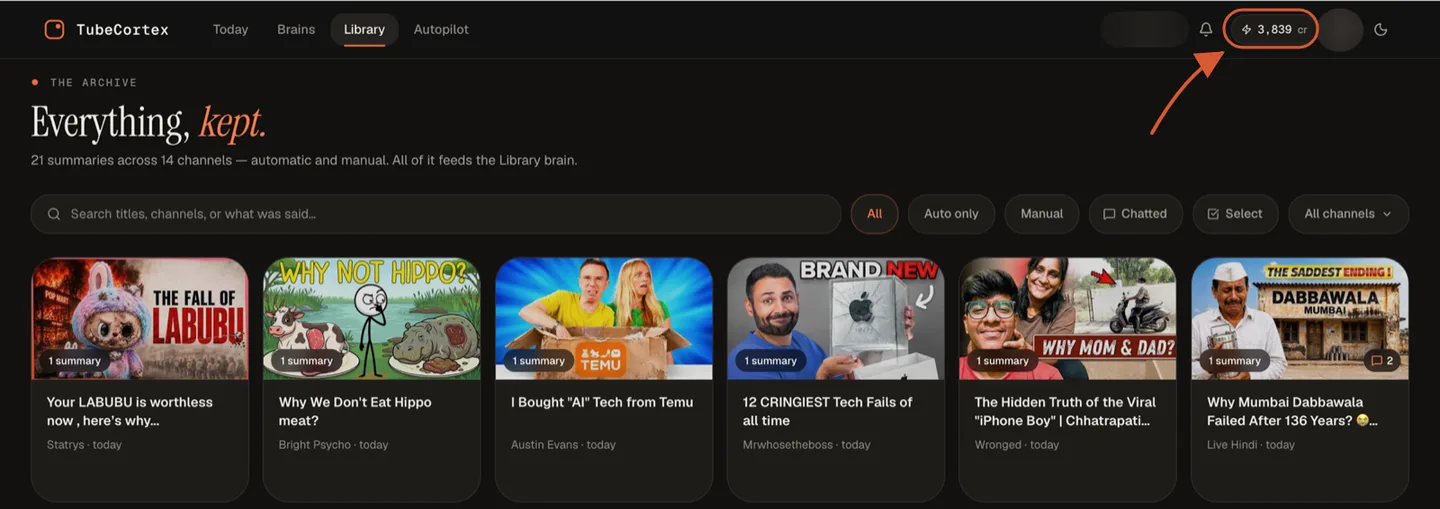 The Library keeps every summary, automatic and manual alike. The ones made on TubeCortex Free landed here without spending a credit, and the highlighted balance still reads 3,839.
A quick note for different people
- Students: the nightly lecture catch-up is exactly what TubeCortex Free is for. Save the credits for exam-week deep reads.
- Solopreneurs: scan your niche on TubeCortex Free, and spend only on the videos that touch your business.
- Creators: TubeCortex Free is plenty for checking what your niche already covers before you script anything.
- Existing users with a low balance: you already have the habit. Move the routine work onto the TubeCortex Free row of the menu and save your balance for Autopilot, brains, and the videos that matter.
What TubeCortex Free can and can't do
Note: TubeCortex needs a video that has captions or a transcript available. That's true on every tier, free included. A silent video, or one with captions switched off, gives it nothing to read.
TubeCortex Free runs a lighter engine than the paid tiers. For everyday summaries and straightforward questions it does the job fine. On long, dense, or technical videos, the paid tiers notice more and reason further, and that difference is the honest reason they cost money.
There are daily limits on free use. They're set well above what a normal day of use looks like, and they reset at midnight UTC. They exist so one account can't tie up the machine for everyone else, not to ration you.
And because it runs on one machine the team operates, it occasionally sleeps or goes down for maintenance. A chat will say "TubeCortex Free is waking up" and ask you for about a minute. A summary just queues and waits it out.
Frequently asked questions
Is TubeCortex actually free to use? Yes, TubeCortex Free is a built-in option that costs nothing and never spends credits, and it stays available even after your signup credits are gone. You pick it in the same menu as the paid tiers, and nothing about it asks for a card.
What's the catch with TubeCortex Free? The honest catch is that TubeCortex Free is a lighter engine than the paid tiers, and there are generous daily limits that reset at midnight UTC. For everyday summaries and questions you're unlikely to notice either one. There's no trial clock and no fee waiting at the end.
What happens when my free credits run out? The premium tiers (Quick, Balanced, and Think Deeper) lock until you top up, and TubeCortex Free keeps working for manual summaries and chat. The product never fully stops. Autopilot stops summarizing new uploads until you top up (uploads that arrive in the meantime are skipped, not caught up later), but you can keep summarizing videos yourself and asking questions on the free engine while you decide.
Is TubeCortex Free worse than the paid tiers? On routine work, TubeCortex Free and the paid tiers are hard to tell apart; on hard work, the paid tiers pull ahead. They run stronger engines that think longer, which is worth paying for on dense or important videos. That's the whole reason this guide says to save credits for what matters.
Can I use TubeCortex Free with brains? You can chat with any brain on TubeCortex Free, and the chat costs nothing. Building the brain is the part that spends credits, except for videos you've already summarized. Summarizing videos on the free engine first makes adding them to a brain later free.
Do I need a credit card to try TubeCortex? No, a new account comes with 2,500 free credits (dozens of full-length summaries), no card needed, and TubeCortex Free sits underneath all of that as the option that never spends them. Start free.
The short version
TubeCortex Free makes TubeCortex a tool you can genuinely run for free: summaries and cited answers that never spend a credit, and they keep coming even after your balance hits zero. Keep the routine work there, and spend credits only on the few videos that deserve a stronger engine. Summarize your first video free, and see how far the free engine takes you before you ever pay for anything.